Changing Various Settings
GLOBAL
9
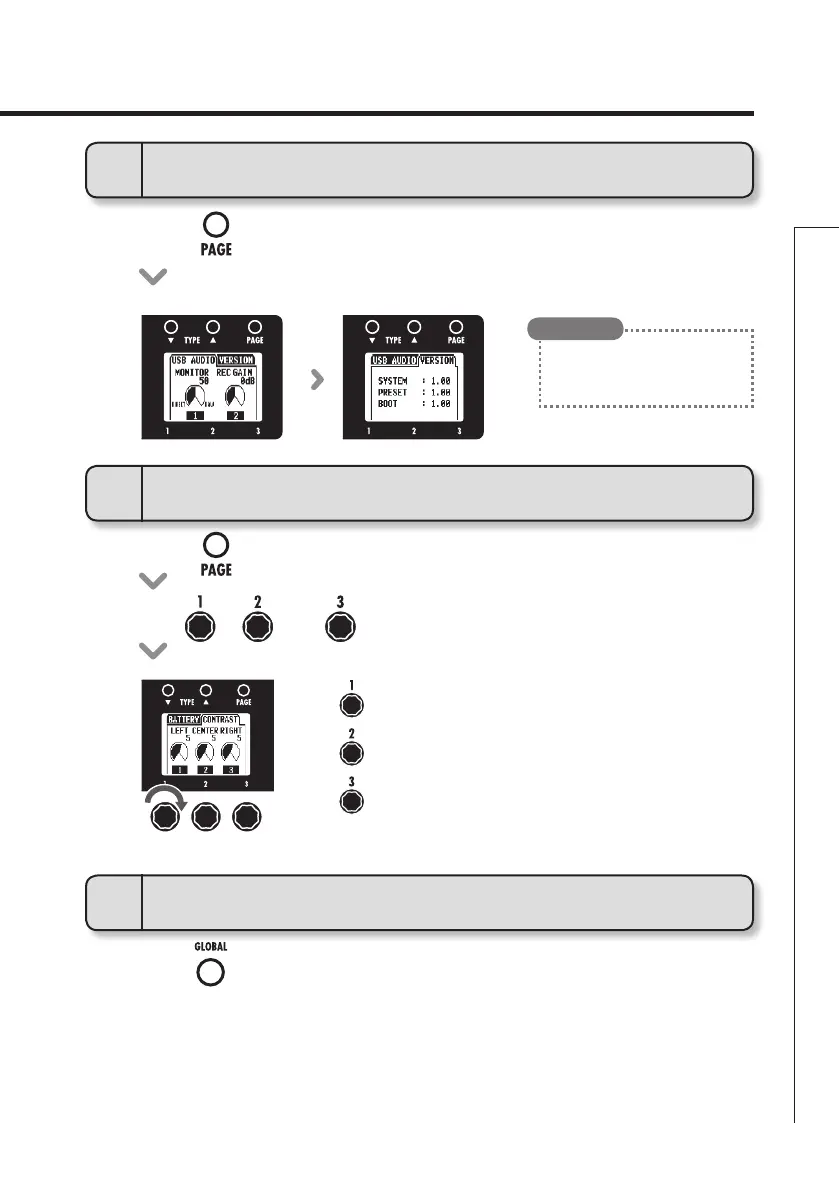
To view the firmware versions
• Pressoftherighteffect.
11
To exit the GLOBAL menu
• Press.
• ChecktheZOOMwebsite(http://
www.zoom.co.jp) for the latest
firmware versions.
HINT
10
To adjust the display contrast
: Left display
: Center display
: Right display
• Pressofthemiddleeffect.
• Turn,andofthemiddleeffect.


 To Next Page