10
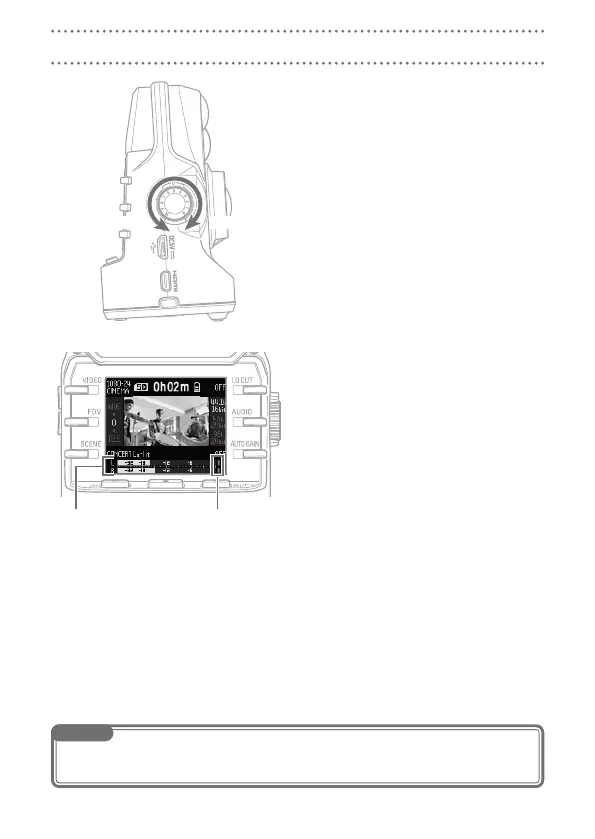
Adjusting recording levels
Turn
1.
I on the right side of the unit.
If a pea k indic a tor l i ghts o n the
2.
screen, turn I to lower the level.
Adjust the level so that the peak indica-
tors do not light even when loud sounds
are input.
Peak indicatorsLevel meters
NOTE
In addition to the peak indicators, the REC LED on the front also blinks when loud sounds are input.
•
Set AUTO GAIN to adjust the recording level automatically. (
•
→ P. 13)



 To Next Page