16
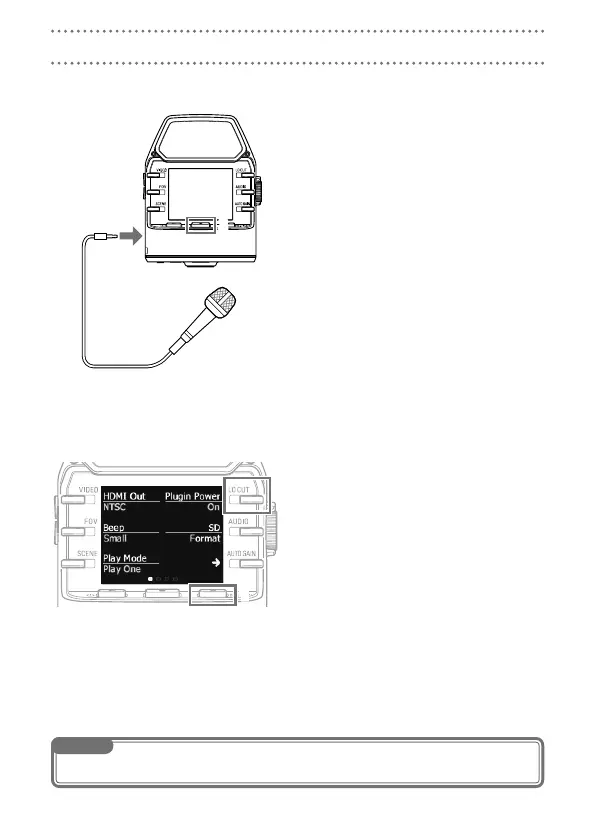
You can capture audio with an external mic or audio device when recording audio or video.
Connect the external mic or audio
1.
device to the external input jack.
Press
2.
r.
This starts video recording.
S
Mic that supports plug-in power
Enable plug-in power for mics that support it.
When the Recording Screen is open,
1.
press c to open the Setting
Screen.
Select Plugin Power, and set it to On.
2.
Connections with external input jacks
NOTE
The built-in mics are disabled when an external device is connected to the external input jack.



 To Next Page