15
S
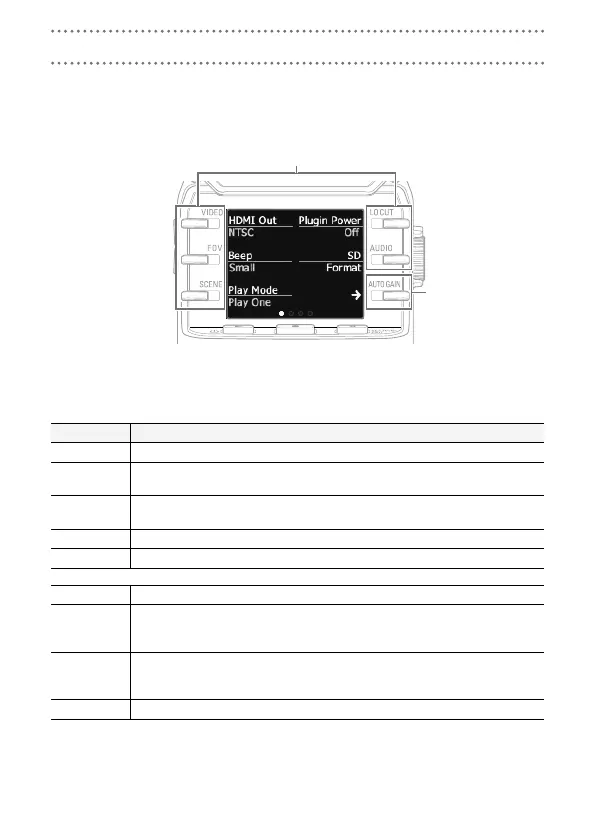
Using the Setting Screen
Use this screen to make system settings.
Use 6 to change the item shown.
Change adjacent items
Show different items
Setting item Description
HDMI Out Set the format of the video output from the HDMI port. Select NTSC or PAL.
Beep
Set whether the Q makes sounds when it is turned on and operated. Select
Off, Small or Large.
Play Mode
Set whether all files are played continuously or only the selected file is played.
Select Play One or Play All.
Plugin Power Set this when using a mic that supports plug-in power. (→ P. 16)
SD Format Format an SD card. (→ P. 9)
Battery Type Set the battery type. Select Alkaline or Ni-MH.
Power Save
Set the amount of time until the screen is dimmed automatically if not used. This
setting has no effect during playback or when an AC adapter is connected. Select
Off, 1, 3 or 5 minutes.
Auto Power
Off
Set the amount of time until the power turns off automatically if not used. This set-
ting has no effect during recording, playback or when an AC adapter is connected.
Select Off, 1, 3 or 5 minutes.
Setting Reset Restore the Q to its factory default settings.
See P. 18 for USB connection and P. 9 for date setting.
Making system settings



 To Next Page