User Manual ZFG 3.0
- 6-
2.2 Plug in/ remove SD-card
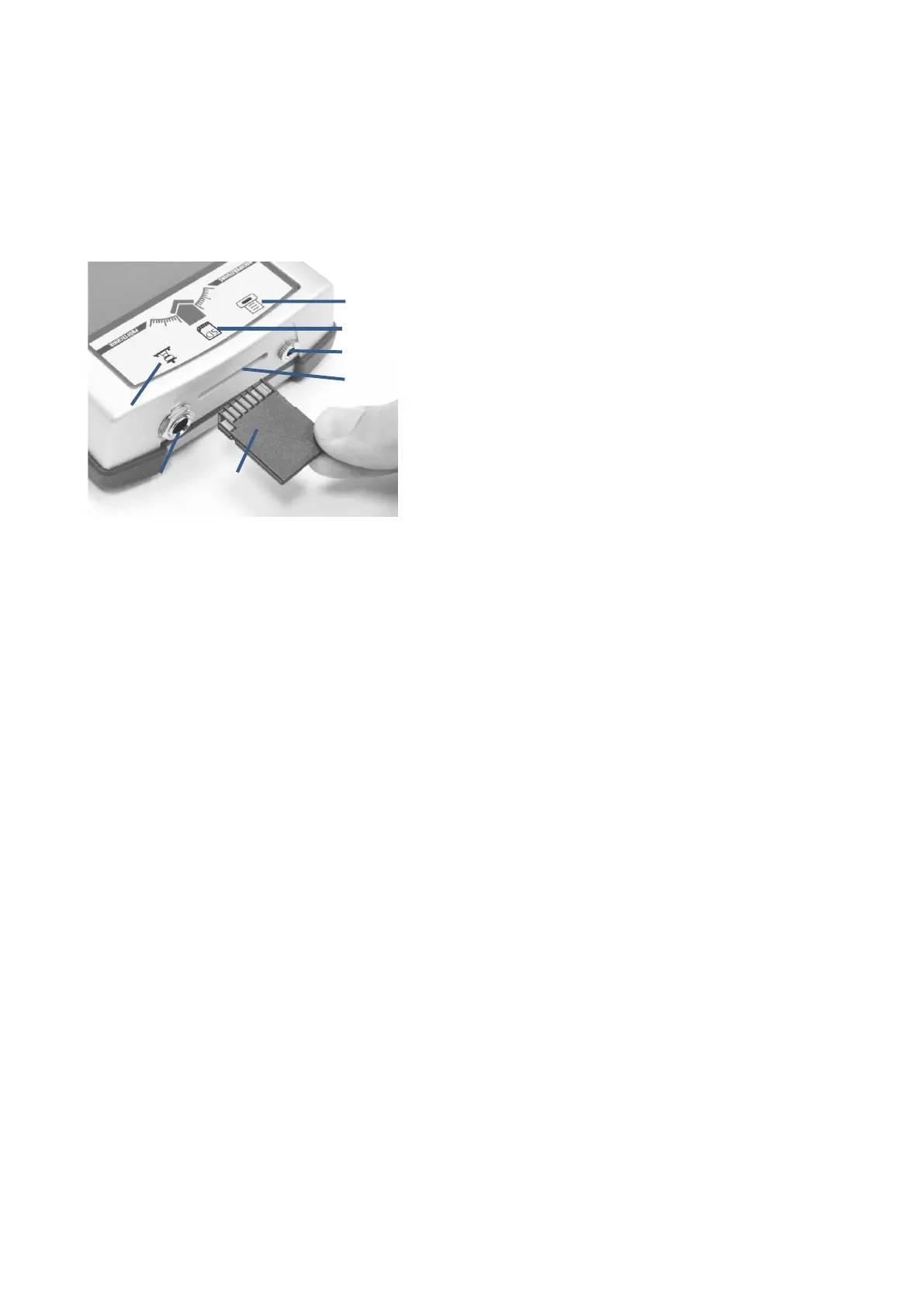
To plug the SD-card into the ZFG 3.0 hold the card as shown on Picture 1. Push the card in as far as
possible until a click sounds. When the card is plugged in correctly, it sticks 3 mm out of the top.
To remove the card, push it into the device. It sounds a click and the card will be pushed out 7 mm.
Now it can be pulled out.
1. Symbol LWD
2. Sensorjack at ZFG 3.0
3. SD-card
4. Symbol printer
5. Symbol SD-card
6. Printerjack at ZFG 3.0
7. SD-slot
Be careful when plugging in or removing the SD-card. Be sure to insert the card the right way
round. The SD-card has to be plugged in and removed easily from the slot.
Picture 1: ZFG 3.0 top side


 To Next Page
 Loading...