13
Indicate your device's status.
Select language and Log in/out Web UI.
Show the configuration list for your device.
Show the menu of the corresponding configuration.
Show the detailed settings for corresponding menu.
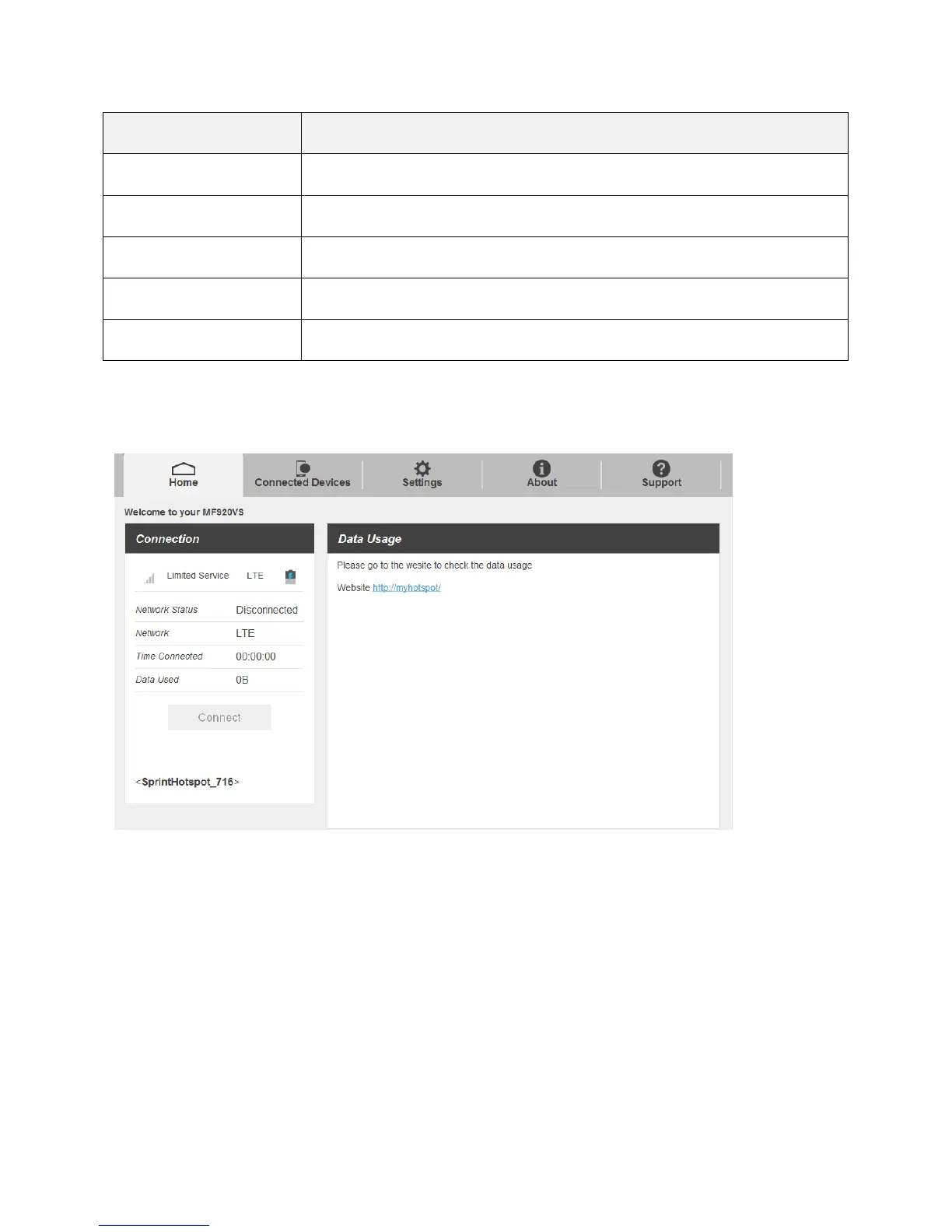
Home
Check current stratus of network connection and data usage on the Home page.
Connected Devices
The Connected Devices tab lets you confirm the names and MAC addresses of devices currently
connected to your hotspot and set access permissions.
Check the Connected Devices
■ Click Connected Devices > Connected to display the list of connected devices.


 To Next Page