4
Set Up Your Hotspot
The following topics give you all the information you need to set up your hotspot and wireless service the
first time.
Parts and Functions
These topics illustrate your hotspot’s primary parts and key functions.
Note: Your hotspot's layouts are subject to change. This user guide uses sample images only.
Hotspot Layout
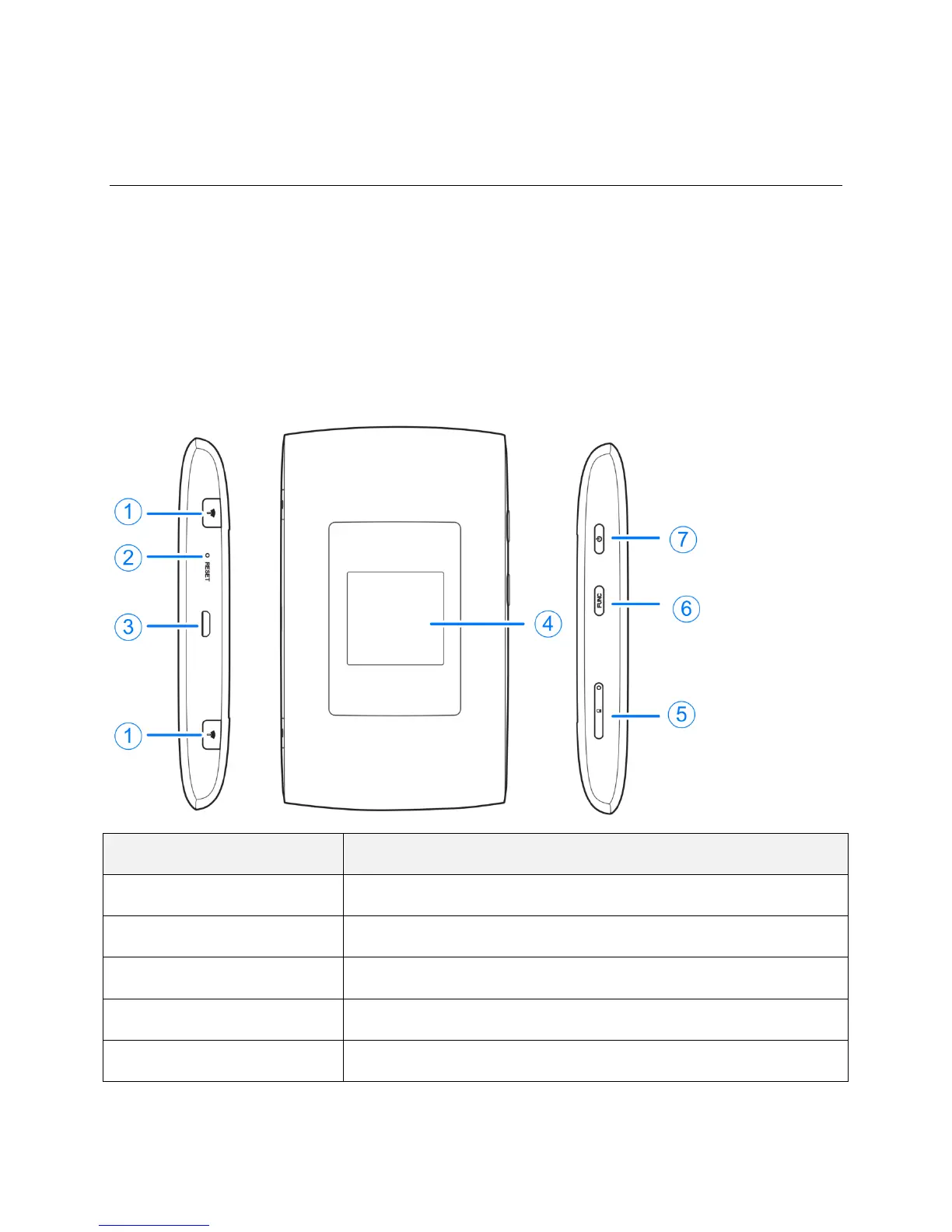
The following illustration outlines your hotspot’s primary external features and keys.
1. External antenna interface
Plug external antenna to strengthen signal.
Reset your Hotspot to its factory default settings.
3. Charging/ micro-USB jack
Connect the micro-USB cable for charging or tethered connections.
View device status and display the options menu.
Install the nano-SIM card.


 To Next Page