15
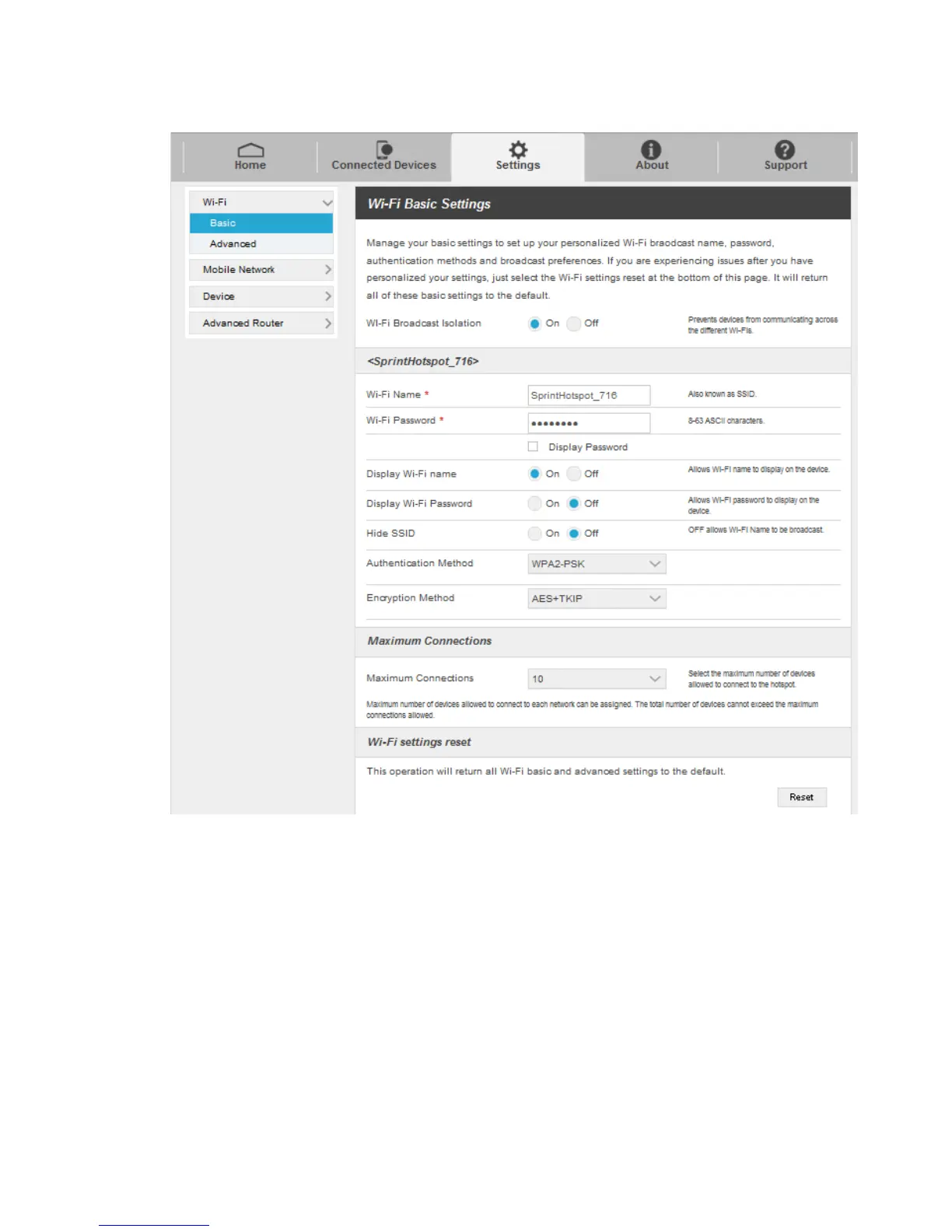
1. Click Settings > Wi-Fi > Basic to display the basic wireless network parameters.
Wi-Fi Broadcast Isolation: Enable or disable this function. If On is selected, the devices
connected to the Wi-Fi SSID will be unable to communicate with each other.
Wi-Fi Name: Service Set Identifier (SSID). Enter a string less than 32 characters as the
name for your wireless local area network (WLAN).
Wi-Fi Password: Enter the Wi-Fi password.
Display Wi-Fi Name: Allow Wi-Fi name to be displayed on the hotspot.
Display Wi-Fi Password: Allow Wi-Fi password to be displayed on the hotspot.
Hide SSID: Enable or disable this function. If On is selected, the Wi-Fi name will not be
broadcast.


 To Next Page