24
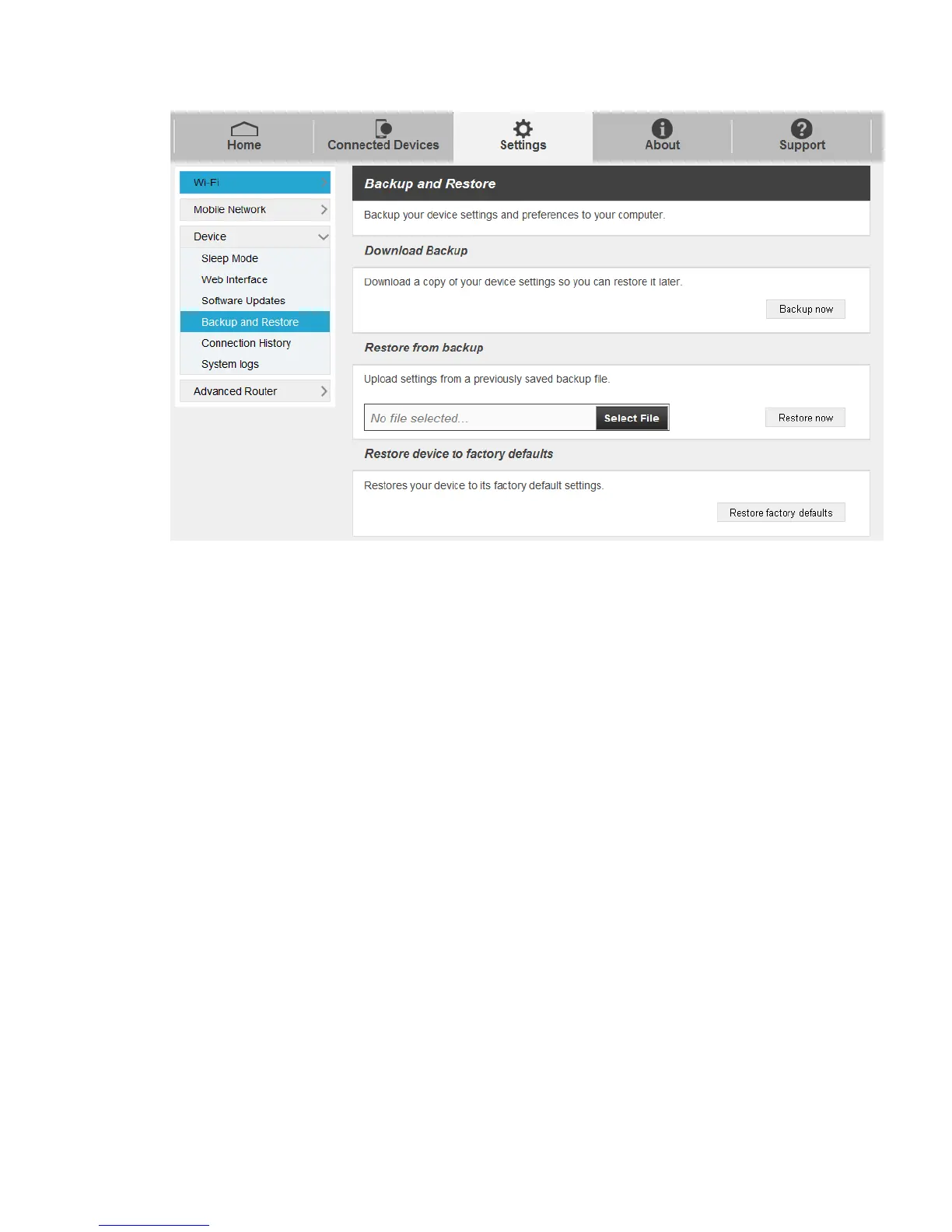
To back up your device settings to your computer, follow the steps below:
1. Click Backup now.
2. Click Save on the pop-up window.
3. Choose a location on your computer to save the backup file.
4. Click Save.
To restore from the backup, follow the steps below:
1. Click Select File to select the backup file in your computer.
2. Click Restore now.
3. To restore your device to its factory default settings, click Restore factory default.
Connection History
■ Select Settings > Device > Connection History, to view the data traffic on this page.



 To Next Page