26
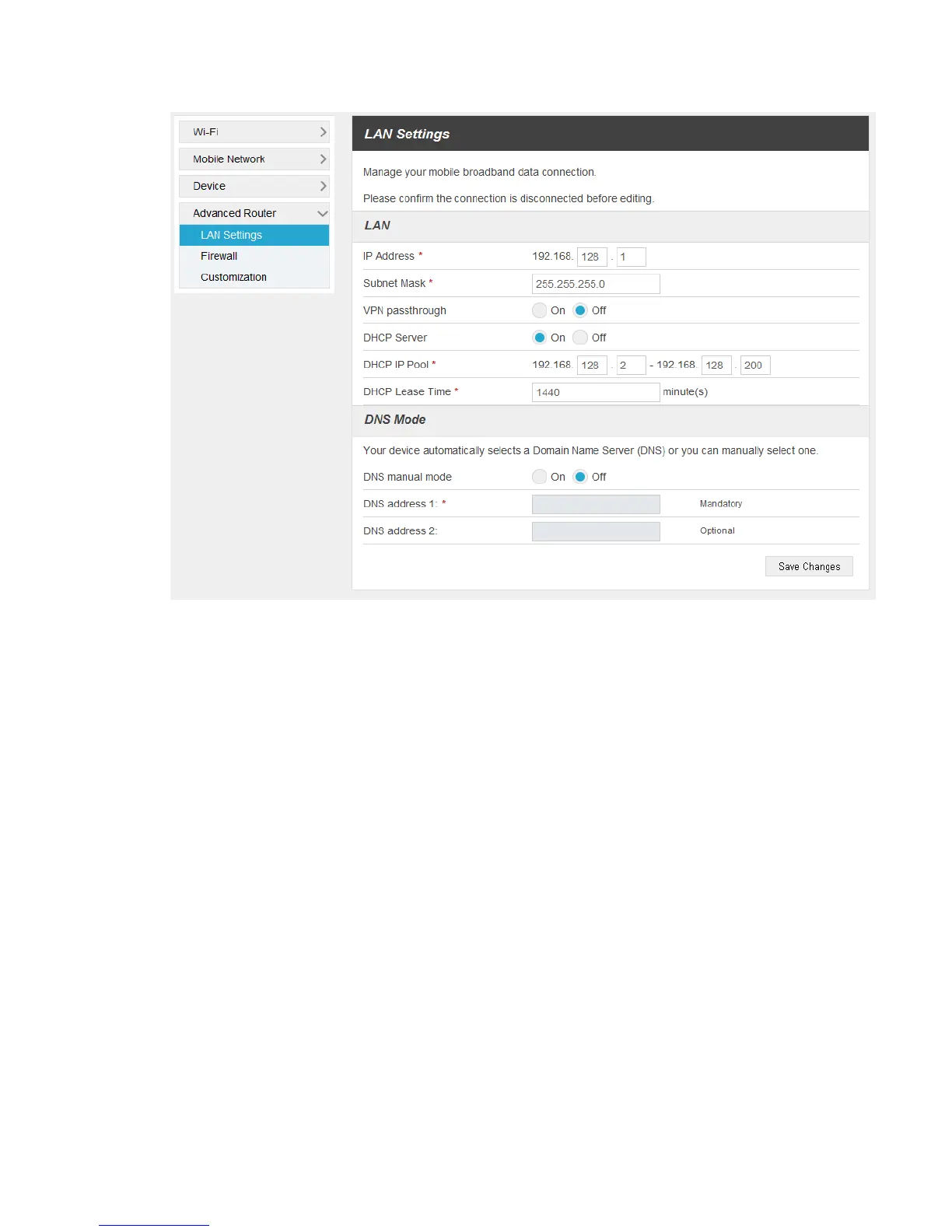
IP Address: IP address for LAN interface.
Subnet Mask: Subnet mask for the IP address.
VPN passthrough: VPN passthrough must be enabled if you want to allow VPN tunnels to
pass through your hotspot’s firewall.
DHCP Server: Enable or disable DHCP Server function.
DHCP IP Pool: Allocate begin and end IP address for IP pool.
DHCP Lease Time: Define how long the leased IP address will be expired. The new IP
address will be relocated after the IP address is expired.
DNS manual mode: Turn on or off DNS manual mode.
2. Click Save Changes to save your settings.
Firewall
■ Select Settings > Advanced Router > Firewall. You may set up firewall rules to protect your
network from virus and malicious activity on the Internet.


 To Next Page