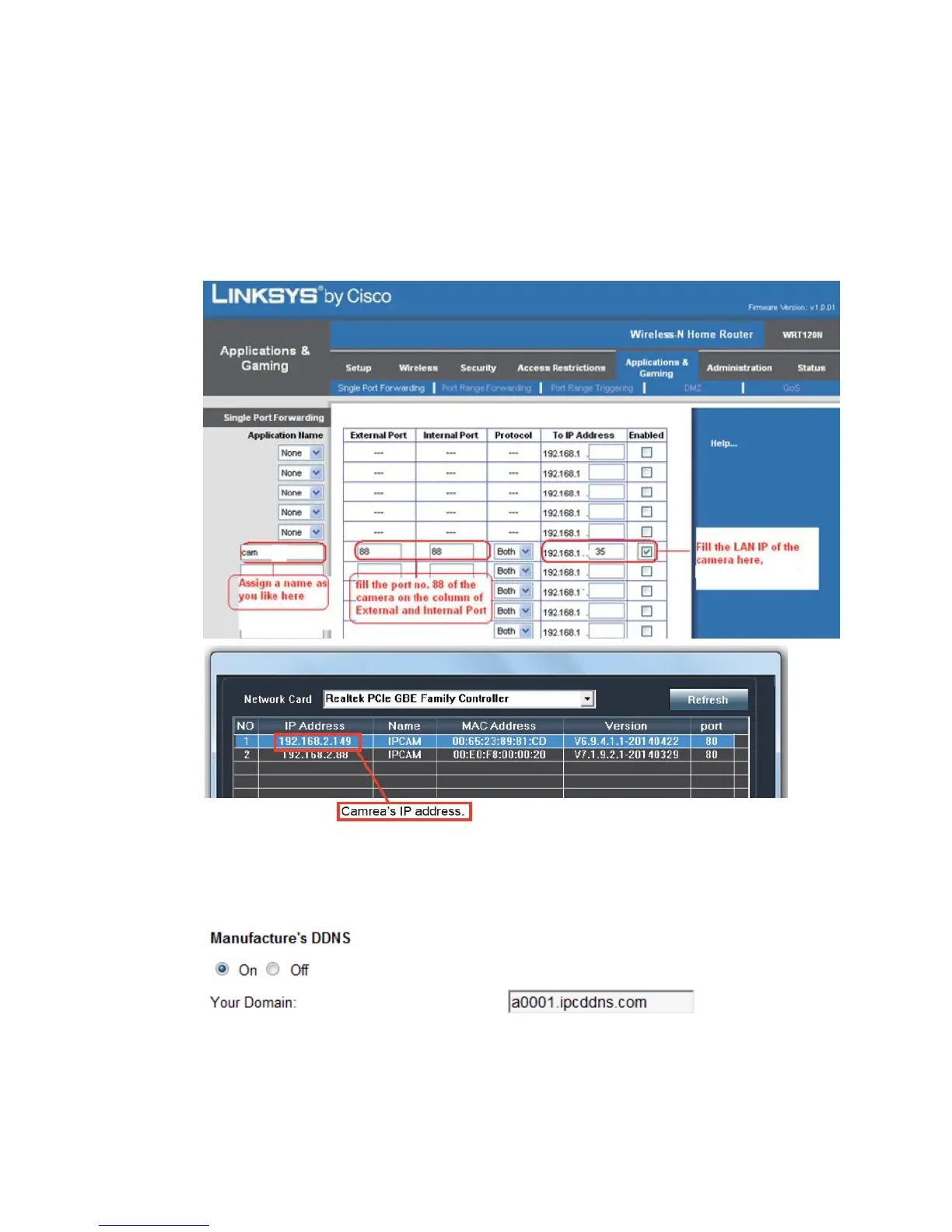
2) If automatic UPnP port forwarding failed, please do manually set the router.
A. Login the router and goes to the menu of Port Forwarding or Port Trigger (or
named Virtue).
B. Take Linksys brand router as an example, Login the router, and goes to
Applications & Gaming->Single Port Forwarding.
C. Create a new column by LAN IP address & HTTP Port No. of the camera
within the router showed as below
2. Two ways of DDNS setting
1) After doing port forwarding successful, you can also visit camera by DDNS. The
manufacturer has established a DDNS system, and allotted a DDNS to every
device, the user can view it from remote PC.
2) User can also use third party DDNS, such as www.dyndns.com.User must apply
a free domain name from this website and fill the info into the below blanks and
save the settings. Then the domain name can be used.



 To Next Page