2.1.2 Software connection
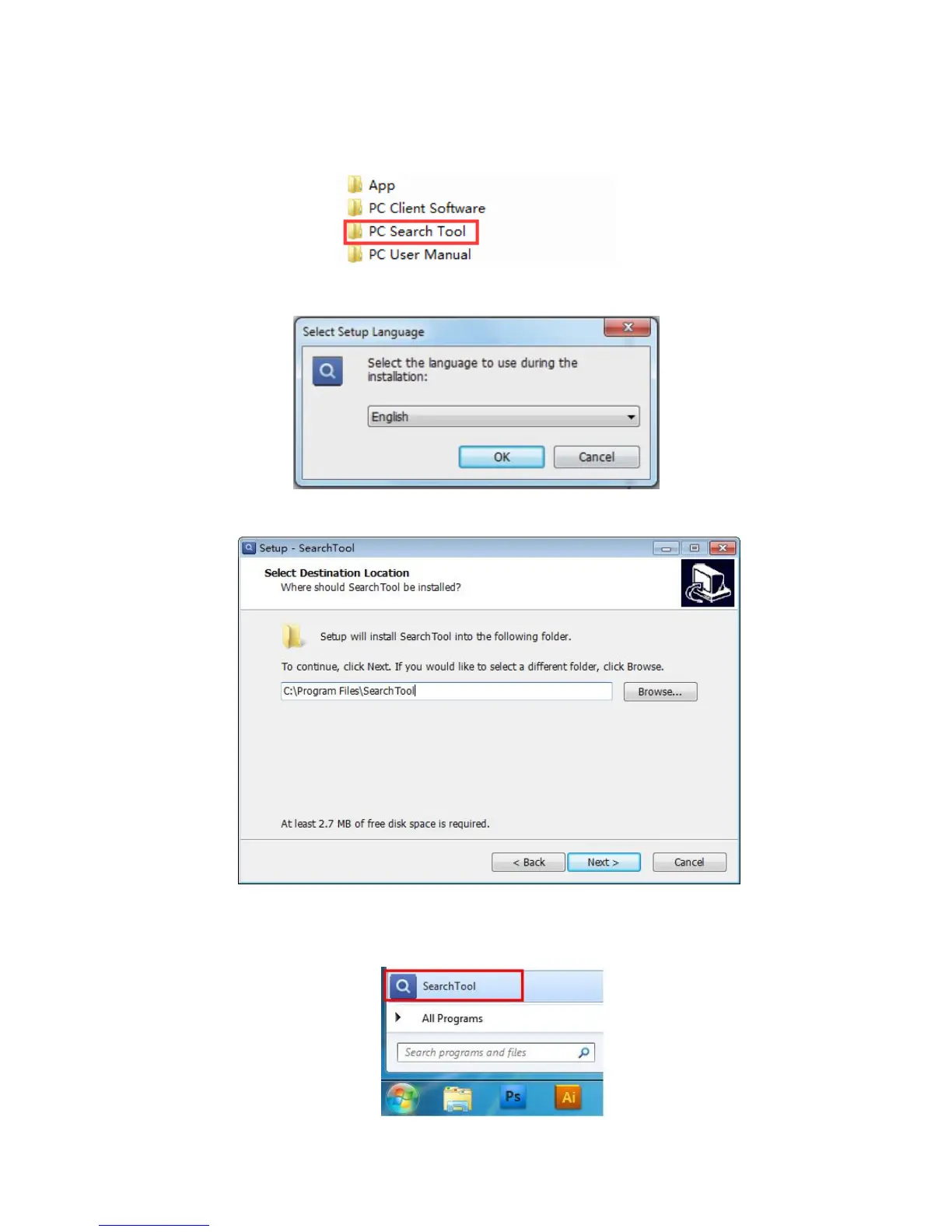
1. Insert CD to computer driver; and found “PC Search Tool”, install it.
2. It will pop up a window as below; please choose the language you need, click“OK”
3. Click next. If you would like to select a different folder, click browser
4. Continually click “Next” until the following icon showed on “Start Menu” of your
computer.



 To Next Page