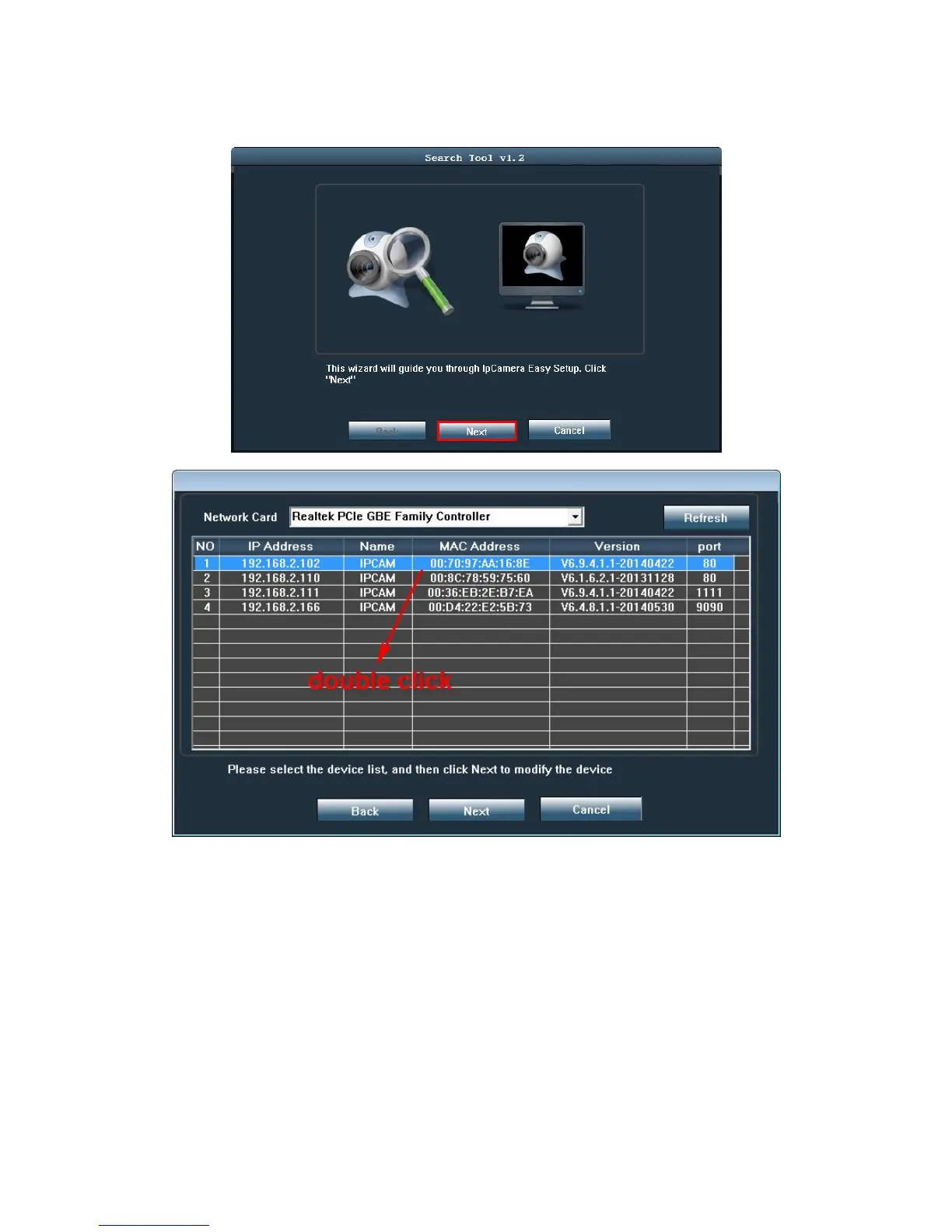
5.Double click the search tool software,after openned, click “Next”
Note: The software automatically searches IP Camera within the LAN.
It will display the IP address, name, MAC Address, Version, and Port.
6. There are three kinds of situation
1) Search to the device in the local area network (LAN). All devices will be listed as
shown above, please double click IP address to enter login interface. .
2) Found no device in the Lan. Pls click Refresh
3) Double click IP address, without any change; maybe the router didn’t assign ip
address to IP camera correctly. Please choose the IP address of camera, then



 To Next Page