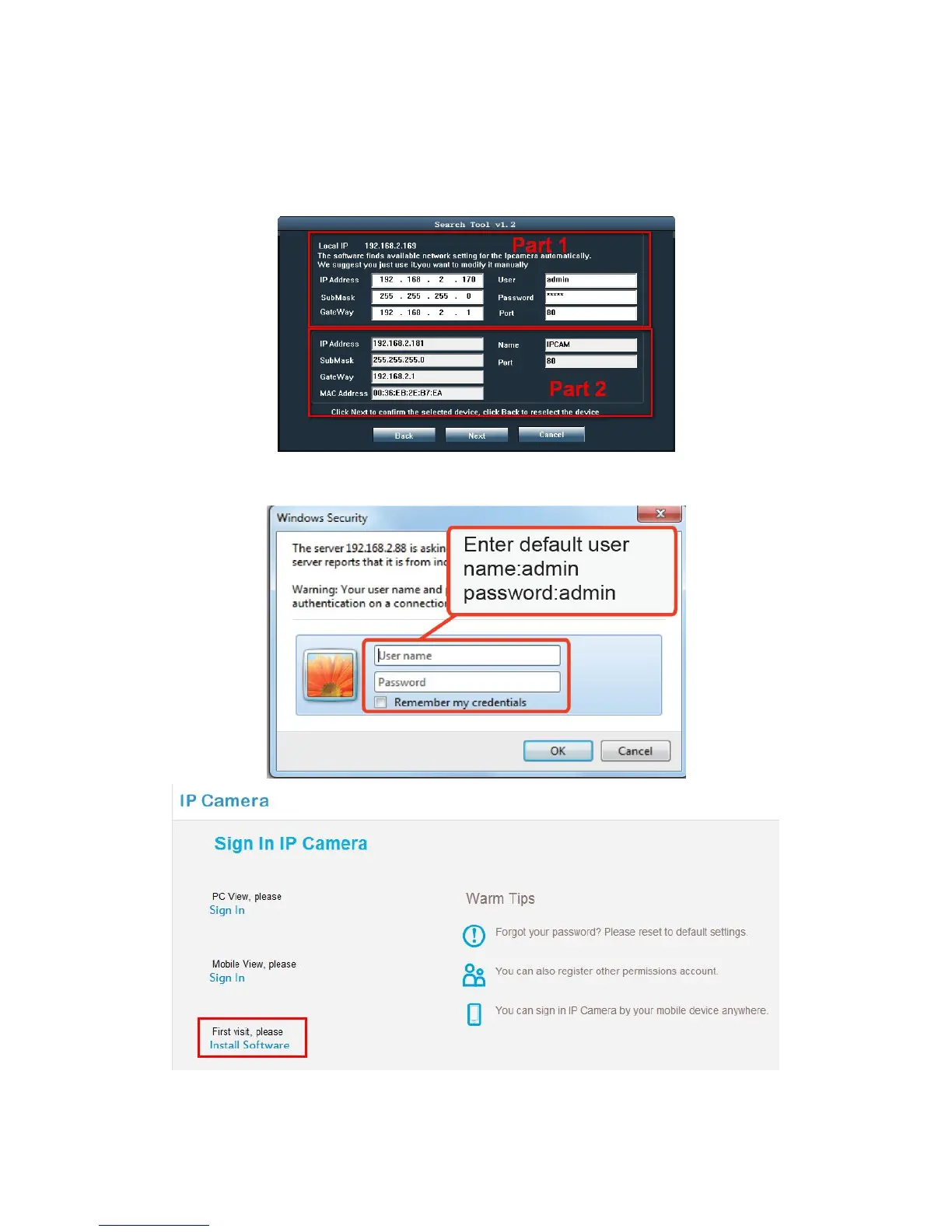
click “Next”. You can got following frame, then revise IP address, Submask,
Gateway manually.
Note: Part 2 is the current IP address, only part 1’s information can be revised.
7. Double click the camera’s IP address, your default browser will pop up a dialog,
please enter default user name: admin and password: admin.
Note: The first time you login the camera need to install the plugin, according to the



 To Next Page