Touchscreen User Manual – Issue 1
Zytronic X-Y Controller (Serial and USB) 37
In a multi-device environment this option is used to add additional
devices, specifically non PnP devices, such as serial devices.
In Mac OS X and Linux a reboot is required for the added device to
function.
Used to remove the current device.
Windows only - Plug and play devices supported by the driver will
normally be automatically detected in a Windows environment. Where
this does not happen the Redetect PnP device option, can be used to
request the driver to check the system for devices supported by the
driver. This is normally used if another driver, such as the system’s
HID driver, has control of the device.
If shown, this option invokes a controller firmware page to adjust
firmware settings and / or test the controller.
5.2 Firmware Settings Page
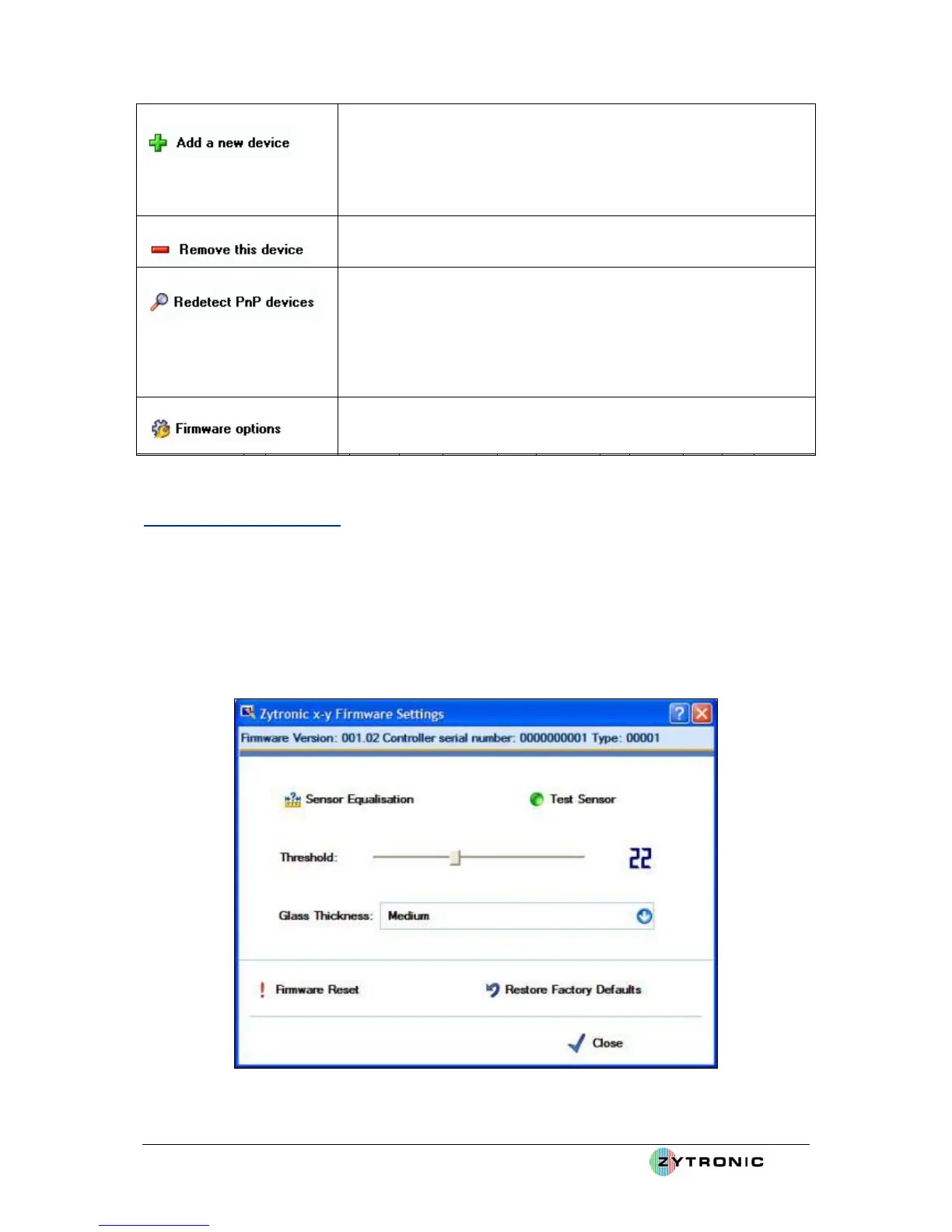
The Firmware Settings page shows the firmware version release, allows firmware settings to be
updated and for the sensor to be tested. The Firmware Settings page is embedded within the
Hardware page and is shown in Figure 33.
This firmware page describes the firmware options for the Zytronic, X-Y controllers
.
Figure 33: Firmware Settings page



 To Next Page