Touchscreen User Manual – Issue 1
Zytronic X-Y Controller (Serial and USB) 43
5.5 Calibration Page
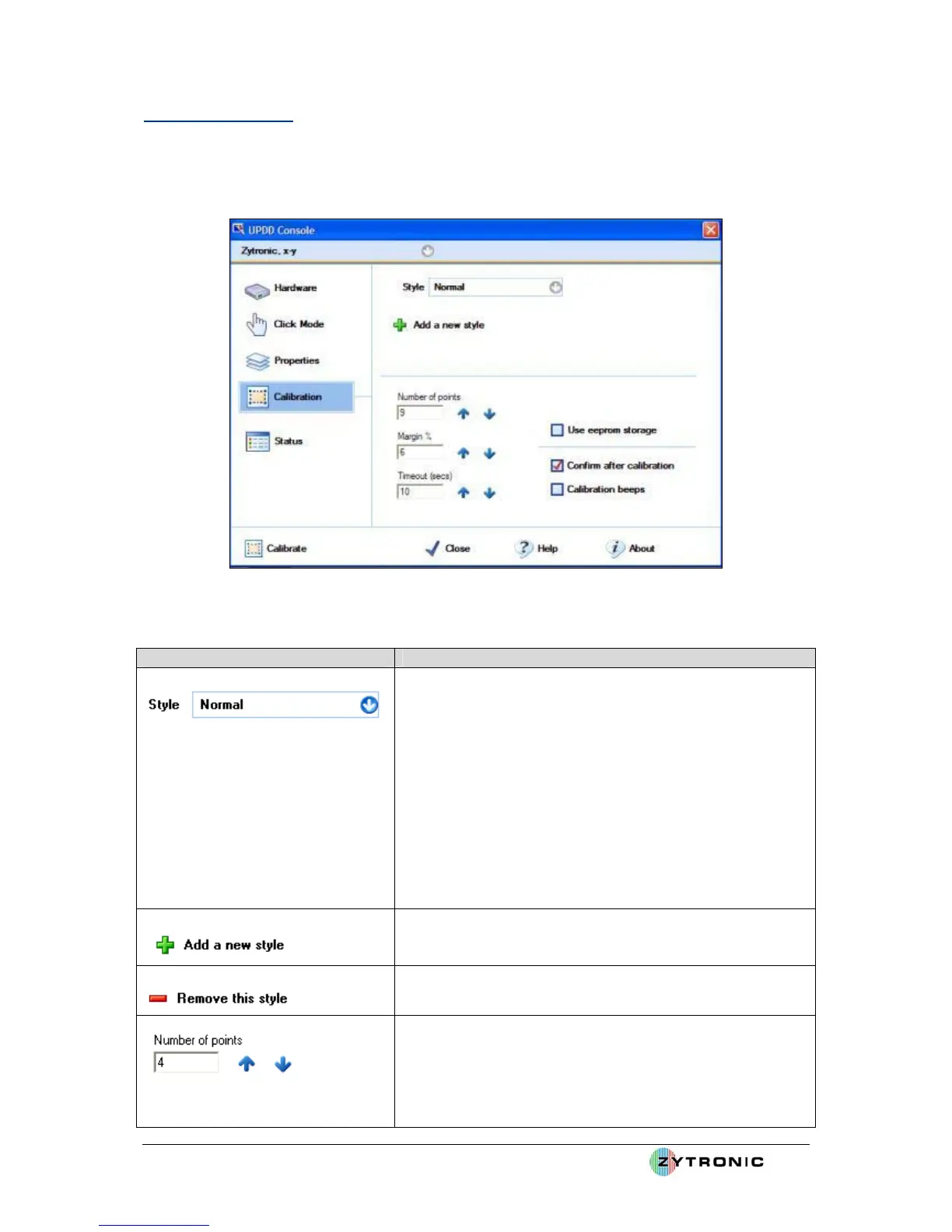
The Calibration page is used to set the calibration settings for the current device. The Calibration
page is shown in Figure 36.
Figure 36: Calibration Page
Function Description
Shows/selects the current calibration style. Each device can
have more that one calibration style which can be calibrated
independently. Calibration styles can be invoked/switched
from an application, a toolbar or the UPDD activator.
e.g. a whiteboard device may be used as a whiteboard or in
projected mode to show a large desktop. Two calibration
modes can be defined, whiteboard and projected and
calibrated when used in those modes. The appropriate
calibration style can then be invoked when required, thus
avoiding the need to constantly recalibrate when switching
usage.
Add a new calibration style.
Remove the selected calibration style.
Indicates the number of calibration points. The number of
points determines the calibration pattern used. 2 points uses
the raw pointer device data, 4, 9 and 25 uses a calibration
algorithm best suited to non-linear data whereas the other
patterns are best suited to linear data. If the device supports



 To Next Page