Touchscreen User Manual – Issue 1
Zytronic X-Y Controller (Serial and USB) 11
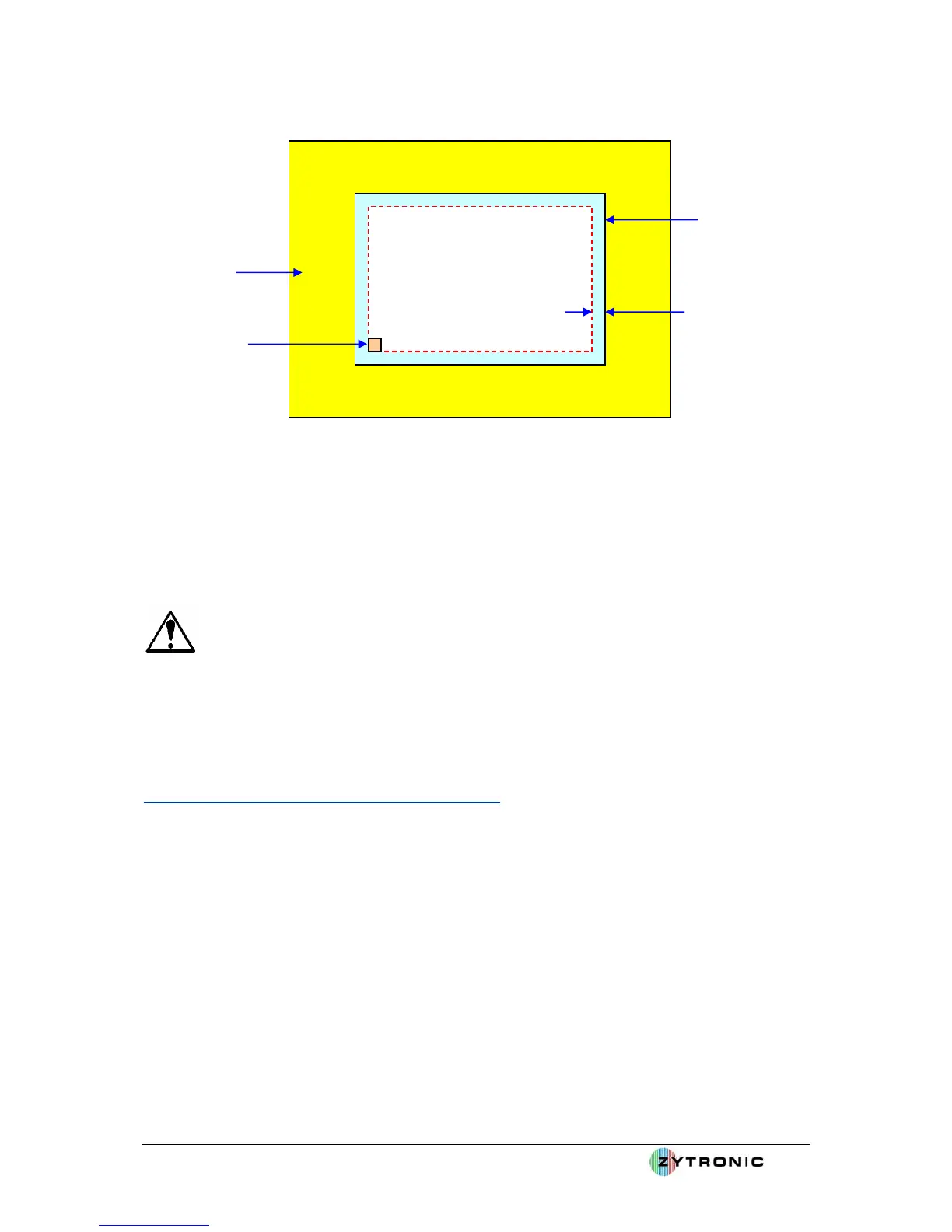
Metal front
bezel
Place buttons
in this active
area of the
touchscreen
Placement of
a button
10mm in from
the edge
Touchscreen
outer active
area and
LCD viewable
extreme edge
Set buttons in
10mm from edge if
possible to avoid
metal work
influence at
extreme edges
Figure 4: Recommended Metal bezel spacing and activation button placements
Note: For Through Touch application, placing two glass surfaces directly on top of each other may
cause an optical Newton Ring effect. This can be overcome by selecting a touchscreen construction
with an Anti-glare front glass surface etch or by simply placing a small air gap of less than 0.5mm
between the two affected surfaces.
Note: Maximum Through Touch application: If the base standard sensor front glass is 3mm
thick an additional 6mm of glass or 4mm or polycarbonate can be placed directly in front of the sensor
(with no air gap between the surfaces) to maintain reliable operation. Any greater thickness of overlay
would need to be experimented with at the customers discretion and own approvals.
2.2 Typical Controller PCB Integration Guidelines
All Zytronic Projected Capacitive X-Y Controller Touchscreens come with a controller PCB card that
is used to receive and process the signals from the sensor to determine the position of the applied
touch.
The two possible controller PCB variants are:
¾ Serial RS232 connectivity controller PCB card.
¾ USB connectivity controller PCB card.
Both variants are identical in foot print size and following the same integration guidelines.
The two controller PCB’s cards are illustrated in Figure 5 and Figure 6. Dimension information for
both can be found in Appendix A.



 To Next Page