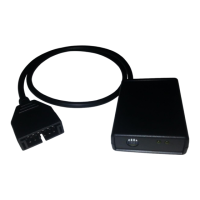
1320 Electronics LLC ALDL Bluetooth Adapter
User’s Guide
ALDL Scan App - Installing the App
1. Click the Google Play icon on your Android device.
2. Click the Search Icon (looks like a magnifying glass).
3. Search for 'ALDL Scan'.
4. Select 'Install'.
5. Click the 'Home' button to return to the main screen.
6. At the bottom of the screen, click the 'Apps' icon.
7. Scroll until the 'ALDL Scan' icon is visible.
8. Press and hold the 'ALDL Scan' icon. Once the background changes to the home screen, drop the
'ALDL Scan' icon where desired.


 To Next Page