1320 Electronics LLC ALDL Bluetooth Adapter
User’s Guide
Bluetooth Interface – Pairing with a PC
The following steps cover Bluetooth pairing on Windows 10. Other versions or Windows are similar.
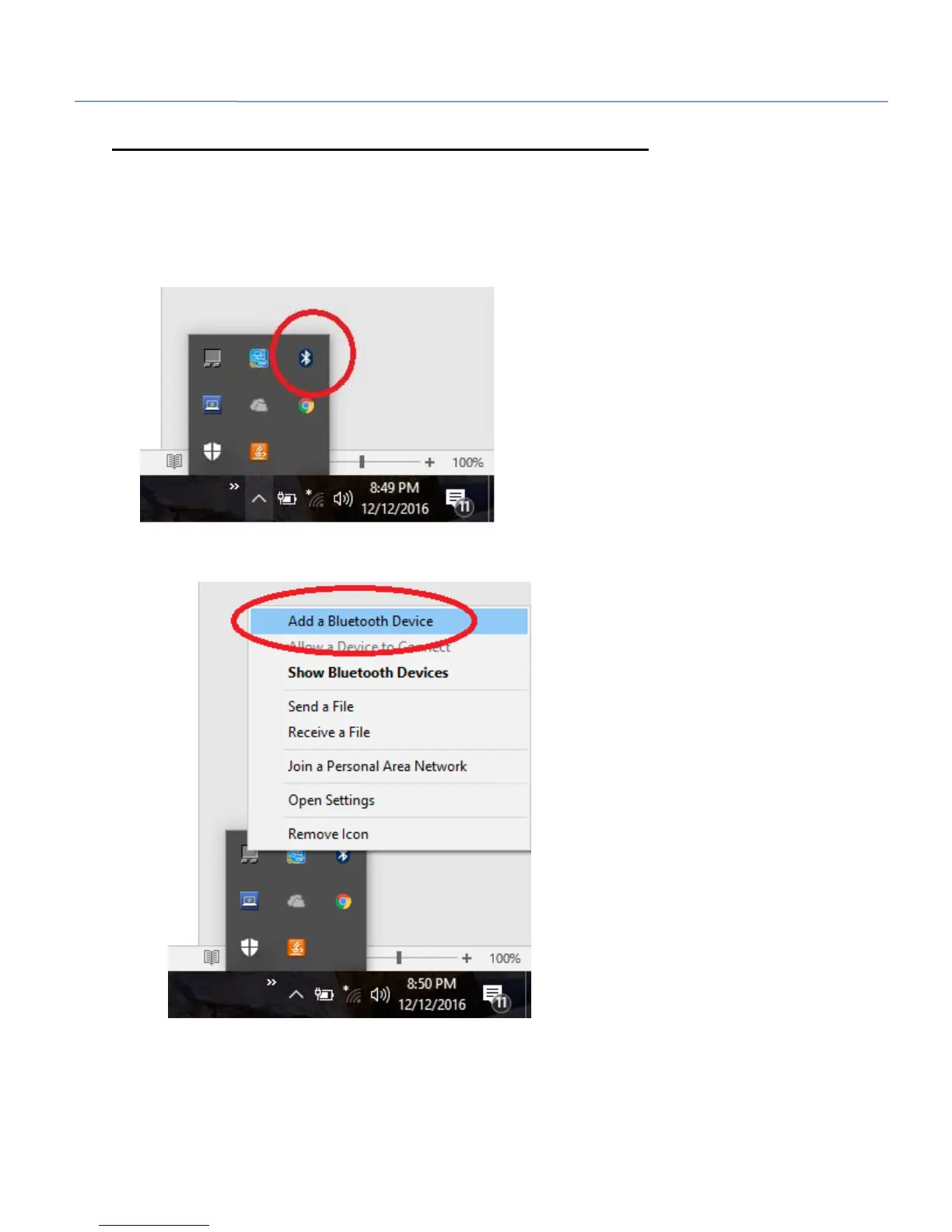
1. Right click on the Bluetooth icon in the lower right notification area. You may need to click on
the arrow pointing up to make the icon visible in the pop-up panel.
2. Select ‘Add a Bluetooth Device’.


 To Next Page