1320 Electronics LLC ALDL Bluetooth Adapter
User’s Guide
Using 'FX File Manager' to move .aldl and .adx files
Note: The .aldl or .adx file should have been already downloaded prior to performing these steps. The
files will reside in the ‘Downloads’ directory.
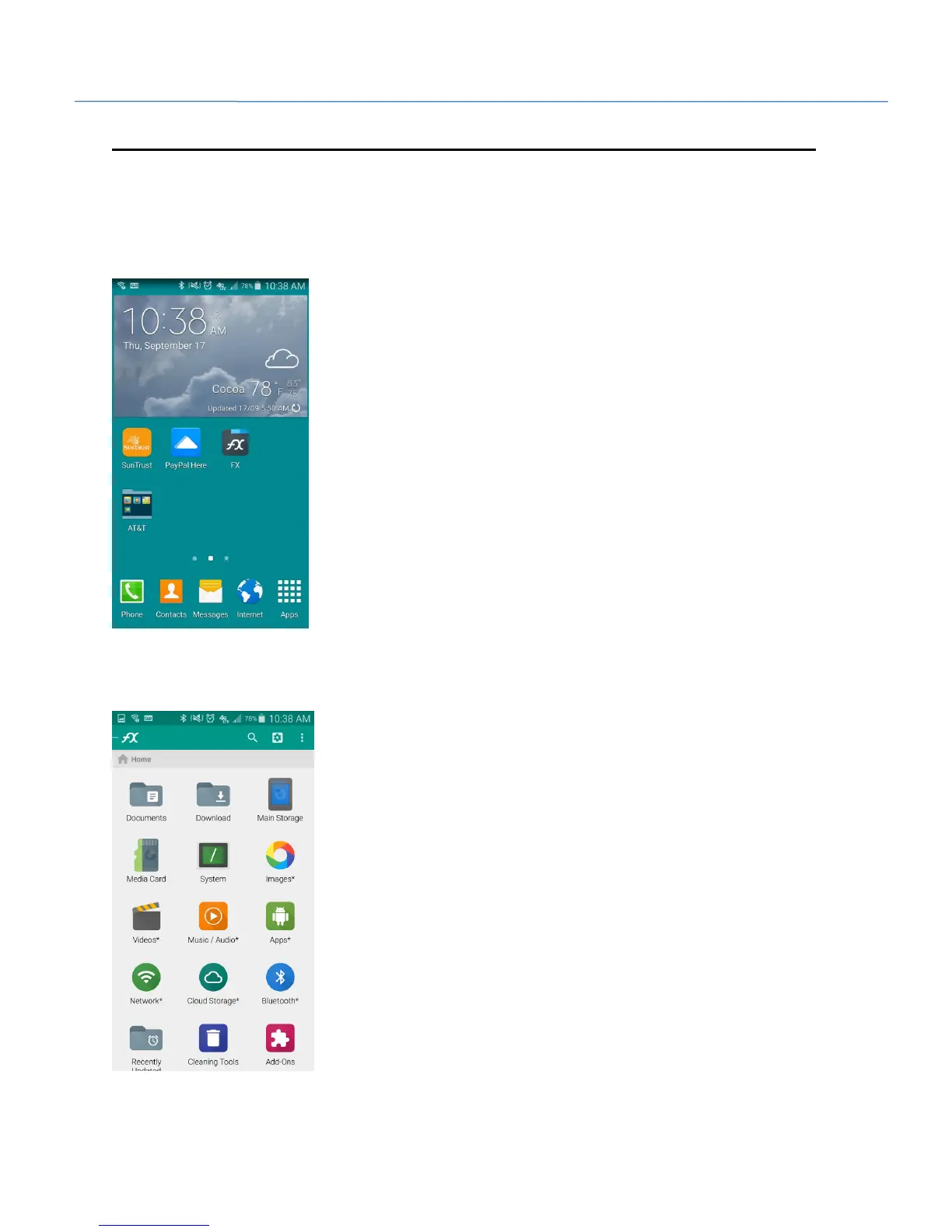
1. Go to your home screen. Click on the FX File Explorer icon.
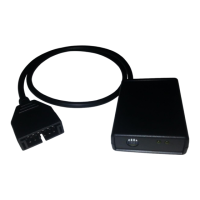
2. When FX File Explorer opens, it should be at the home screen. You can verify this by the home icon
beneath the FX logo in the upper left corner. Select ‘Download’ icon from this screen.


 To Next Page