1320 Electronics LLC ALDL Bluetooth Adapter
User’s Guide
ALDLDroid App – Deleting Gauges
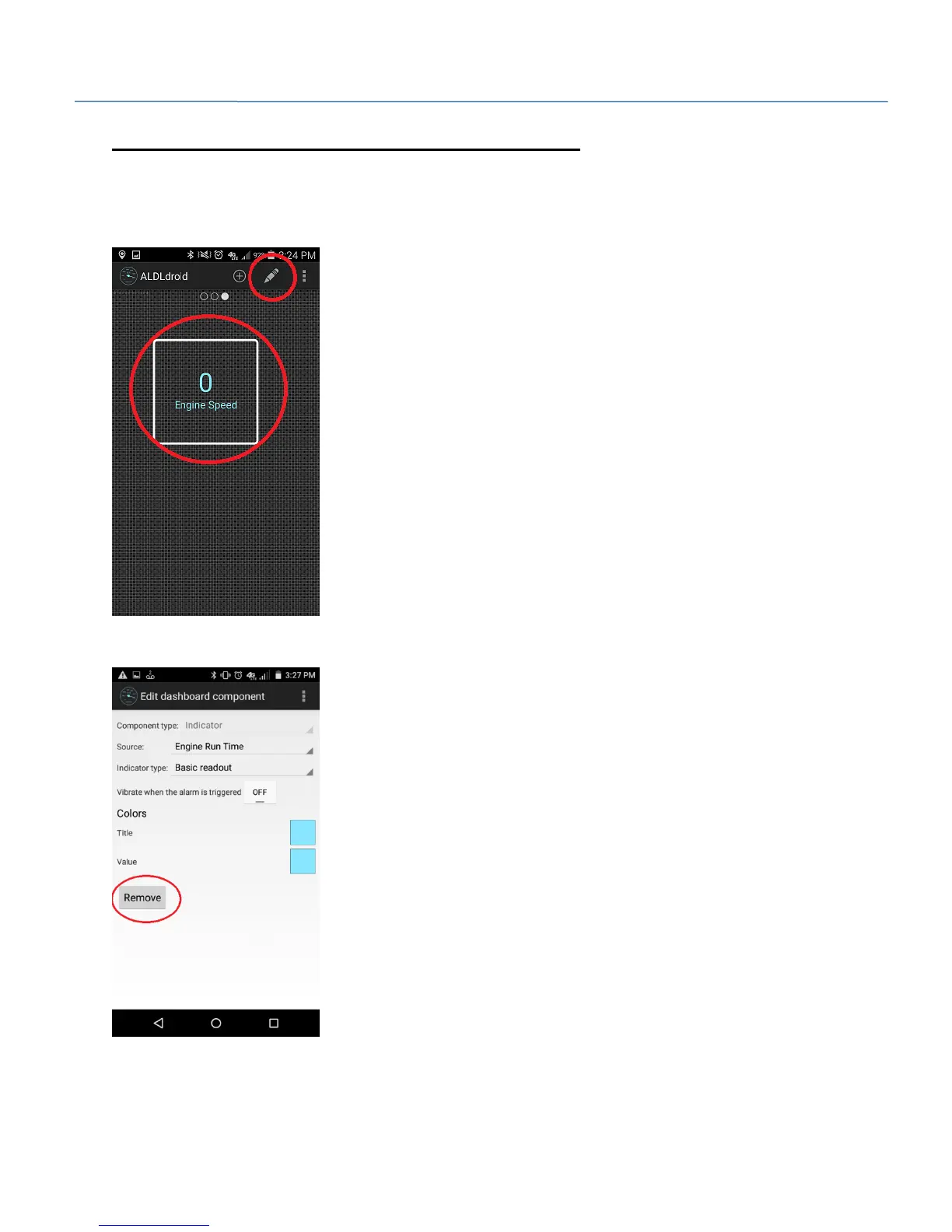
1. Double tap on the screen to enter grid edit mode. After the grid becomes visible, select the gauge to
delete. A white box will appear around the gauge when selected. Once the gauge is selected, press the
‘pencil’ icon.
2. Select the ‘Remove’ button to delete the gauge.


 To Next Page