1320 Electronics LLC ALDL Bluetooth Adapter
User’s Guide
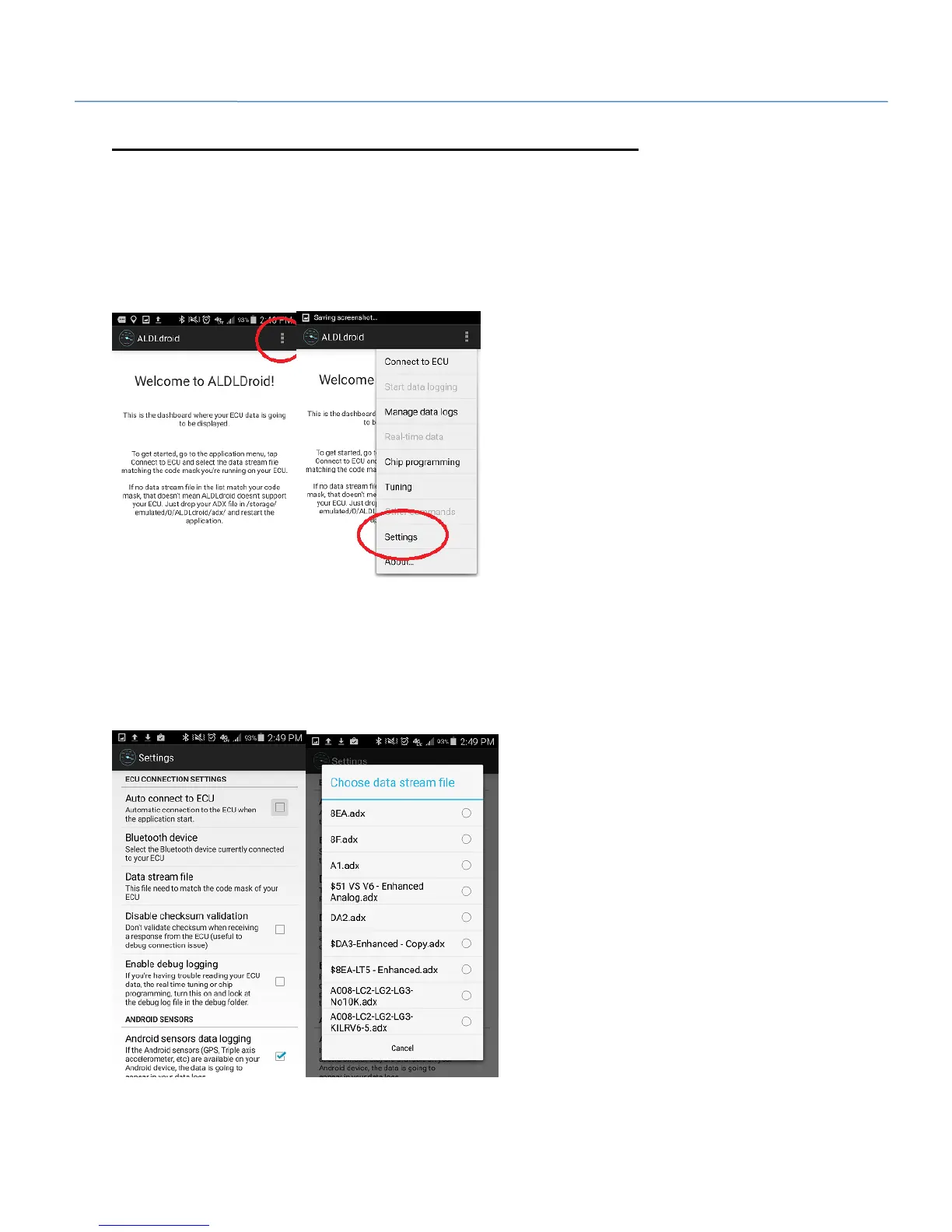
ALDLDroid App – Selecting the adx file
Note: The .adx file needs to be moved to the /ALDLDroid/adx directory of your Android device prior to
performing these steps.
1. Start the ALDLDroid app.
2. Go into ALDLDroid settings by pressing the 3 dots in the upper right corner of the screen, then select
'Settings'.
3. Select 'Datastream file', then select the adx file for your vehicle.


 To Next Page