1320 Electronics LLC ALDL Bluetooth Adapter
User’s Guide
TunerPro RT – Setting the COM Port
PC COM Port Verification should be performed to determine the COM port number for the ALDL
Bluetooth Adapter.
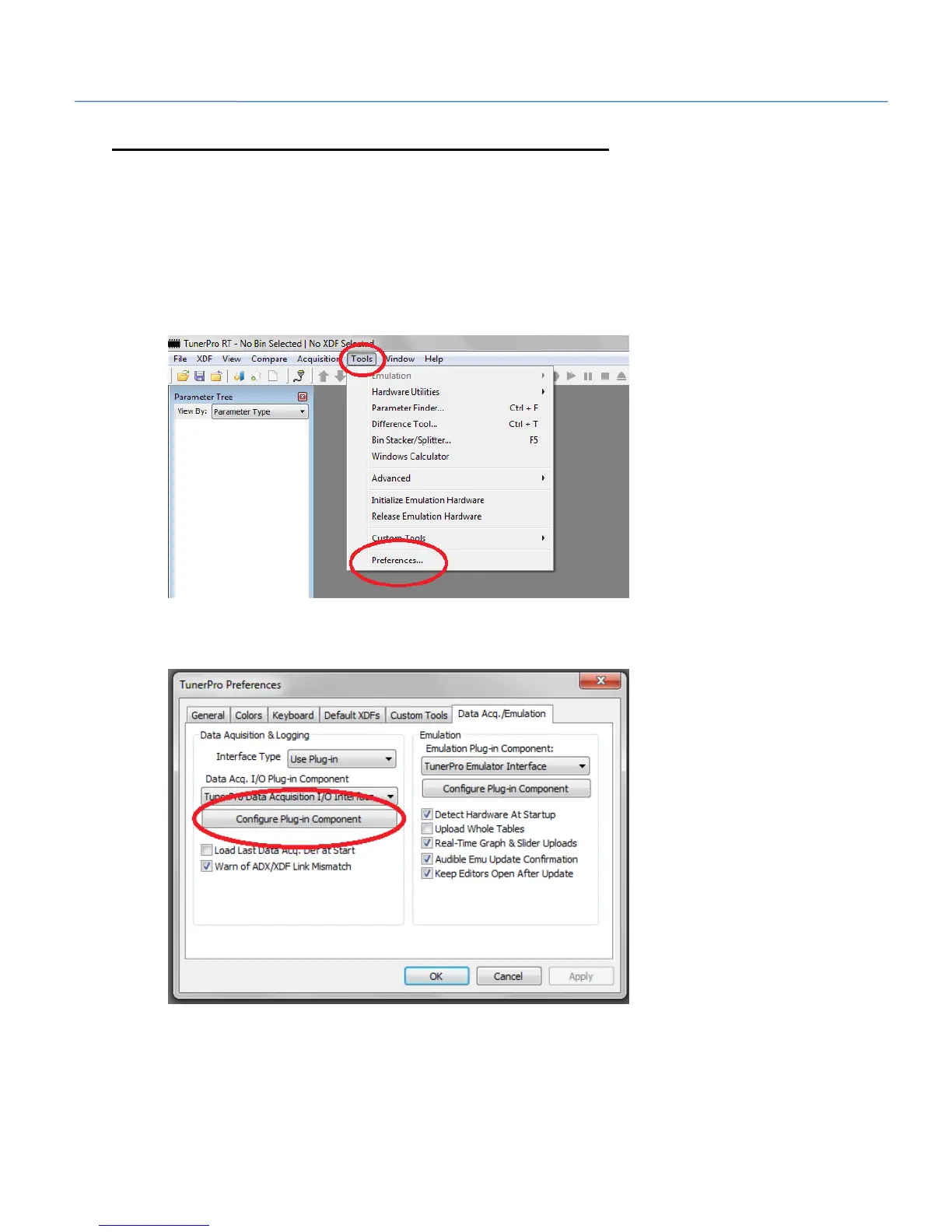
1. Start the ‘TunerPro RT’ application on the PC.
2. Select ‘Tools’ on the menu bar.
3. Select ‘Preferences’ from the menu bar drop down.
4. Select the ‘Data Acq./Emulation’ tab on the Preferences pop up window.
5. Select ‘Configure Plug-In Component’ button.


 To Next Page