1320 Electronics LLC ALDL Bluetooth Adapter
User’s Guide
TunerPro RT - Starting / Stopping Data Acquisition
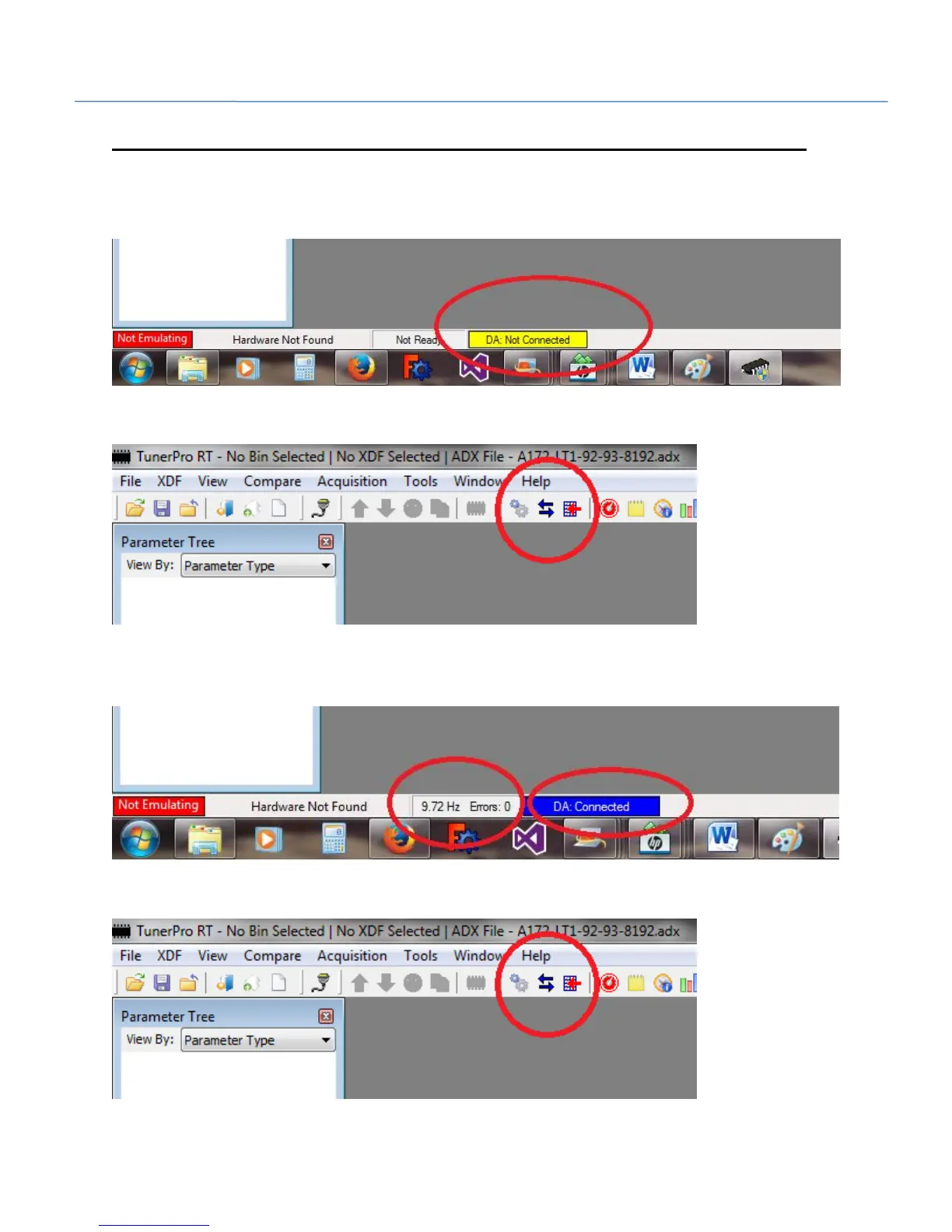
At the bottom of the screen TunerPro RT should indiciate that it is not currently connected.
Click the opposing arrows in the tool bar to start communication.
At the bottom of the screen TunerPro RT should indiciate that it is connecting, then connected.
TunerPro RT will also indicate the frequency of the data packets as X.XX Hz.
Click the opposing arrows in the tool bar to stop communication.


 To Next Page