1320 Electronics LLC ALDL Bluetooth Adapter
User’s Guide
Operating the 'ALDL Bluetooth adapter'
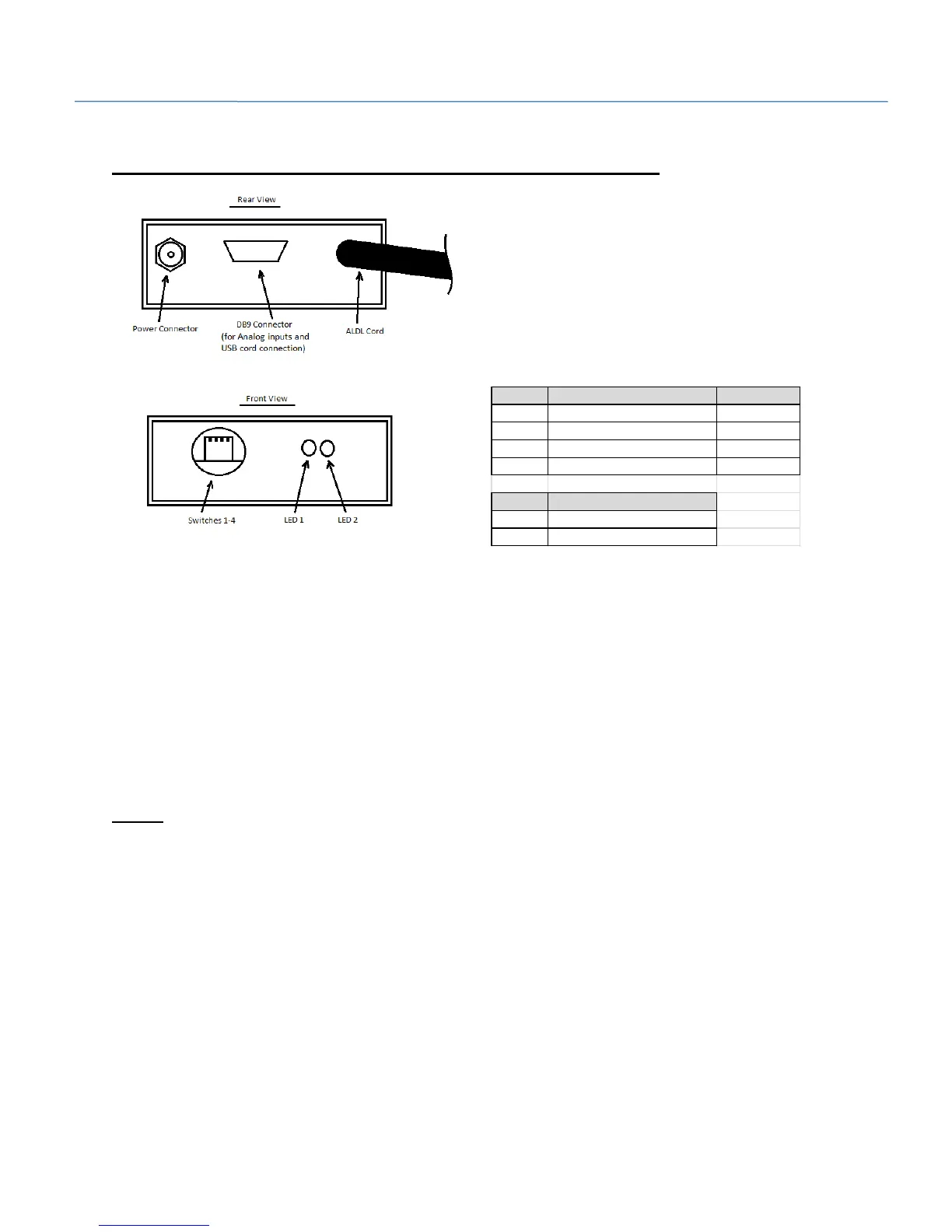
S1 - Switch 1 inserts a 10K resistor across terminals A and B of the ALDL connector. This places the ECM
in ‘ALDL Mode’. This is required to force some vehicles to communicate.
S2 - Switch 2 selects the ALDL baud rate. The baud rate can be set to 160 or 8192 bits per second.
Newer vehicles typically require 8192 baud and older vehicles communicate at 160 baud.
S4 - Switch 4 selects between ‘Enhanced Mode’ (Collect analog data) and regular mode. ‘Enhanced
mode’ is used with the ‘ALDL Scan’ app from 1320 Electronics. No other software packages support
‘Enhanced mode’. If you are using the ‘ALDL Bluetooth Adapter’ with any other software or app, select
Regular Mode.
Note!!! Switches 2 and 4 should only be changed with the power off to the ‘ALDL Bluetooth Adapter’.
The software within the ‘ALDL Bluetooth Adapter’ only checks their status at power up. If switches are
changed after powered on, no mode changes will be made. Recycle power to apply switch changes.
Switch On Off
S1 10K Diag Mode Open
S2 8192 Baud 160 Baud
S3 Not Used Not Used
S4 Enhanced Mode, Analog Data Regular Mode
LED Indication
LED1 ALDL Data Communications
LED2 Power


 To Next Page