18
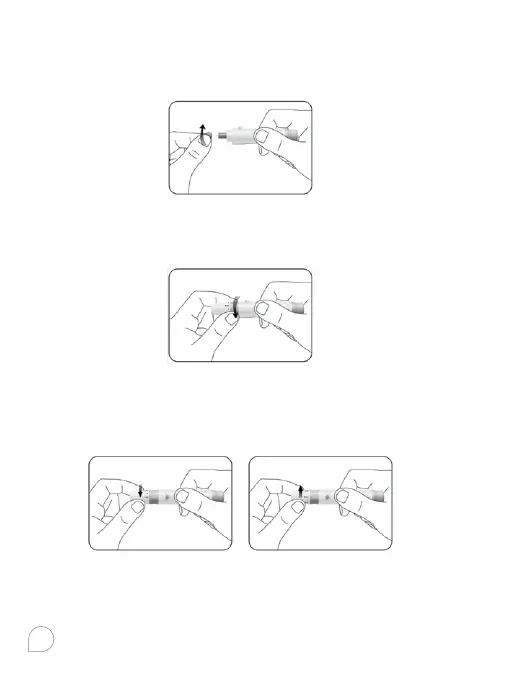
2. Hold the lancet firmly in the lancing device and twist the
safety tab of the lancet until it loosens, then pull the safety
tab o the lancet. Save the safety tab for disposing used
lancet.
3. Carefully screw the cover back onto the lancing device.
Avoid contact with the exposed needle. Make sure the cover
is fully sealed on the lancing device.
4. Adjust the puncture depth by rotating the lancing device
cover. There are a total of 11 puncture depth settings. To
reduce the discomfort, use the lowest setting that still
produces an adequate drop of blood.



 To Next Page