11
Set the Hypoglycemia (Hypo) Alarm
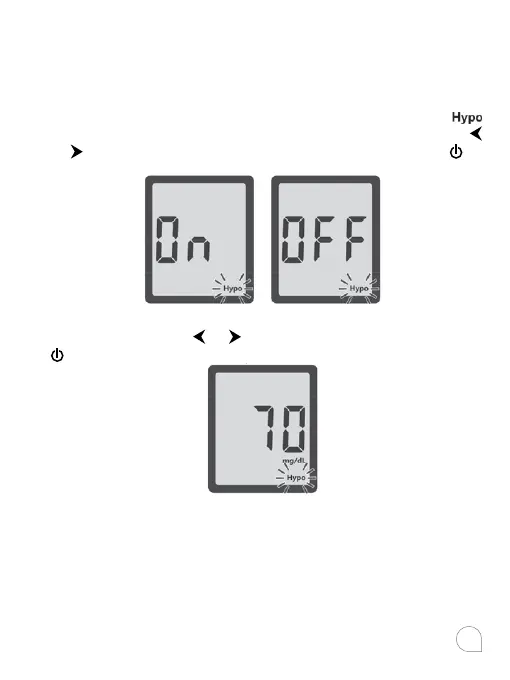
If you selected Advanced Mode, you can set the Hypo Alarm
to let you know when your blood glucose is possibly too low.
You can select what blood glucose level you want the alarm to
have (60-80 mg/dL (3.3-4.4 mmol/L).
After you confirmed the selection of Advanced Mode, the
flashes on the display along with “On” on the display. Press
or
to turning the Hypo alarm function on or o, press to
set.
If you select the hypo alarm “on”, the display shows 70 mg/dL
(3.9 mmol/L). Press
or to select the level you want, press
to set.
Notes:
• Talk to your health care professional to help you decide the
hypo level that suit for your situation.
• For health care professionals, the hypoglycemic level may
vary from person to person. It is recommended to turn
the hypo alarm function OFF when using the meter in a
professional facility.



 To Next Page