4
Icon What it Means
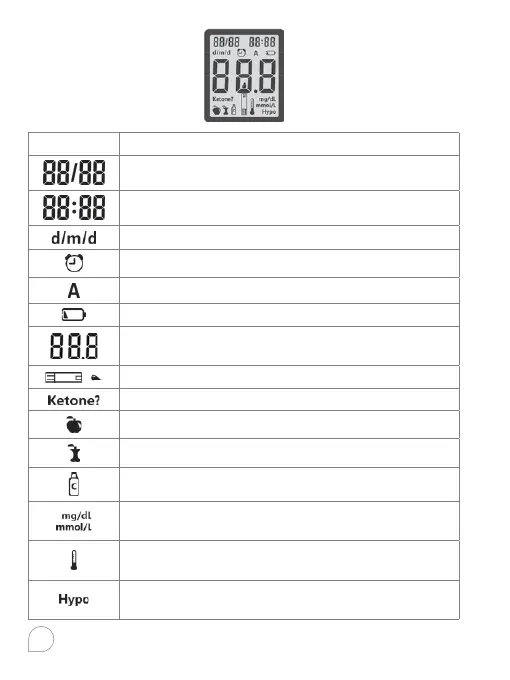
Top left area on the screen indicates date.
Top right area on the screen presenting time.
Date, month format.
Indicates alarms have been set.
Indicates average value.
Indicates low battery or need to be replaced.
Center area on the display that shows test
results or error codes.
Indicates the system is ready to test.
Ketone warning.
Pre-meal marker.
Post-meal marker.
Control test result.
Test results are displayed as mg/dL or mmol/L
according to local government regulation.
Indicates the temperature is not suitable for
testing.
Indicates low test result may cause
hypoglycemia.



 To Next Page