8
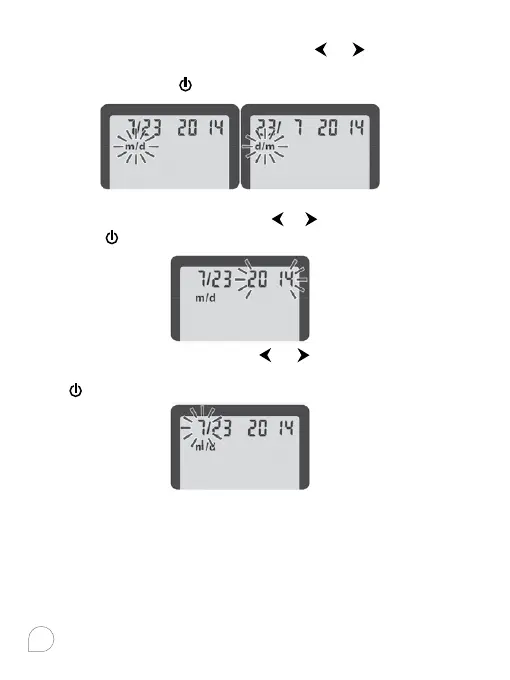
2. Set the Month and Date Format
m/d will now flash on the display. Press
or to select the
format you wish (m/d for month/date format or d/m for date/
month format). Press
to set.
3. Set the Date
The year will be flashing now. Press
or to select the current
year. Press
to set.
The month will now flash. Press
or to select the month.
Press to set. The date will now flash. Press or to select the date.
Press
to set.



 To Next Page