2N® Indoor View User Manual
•
•
•
•
•
•
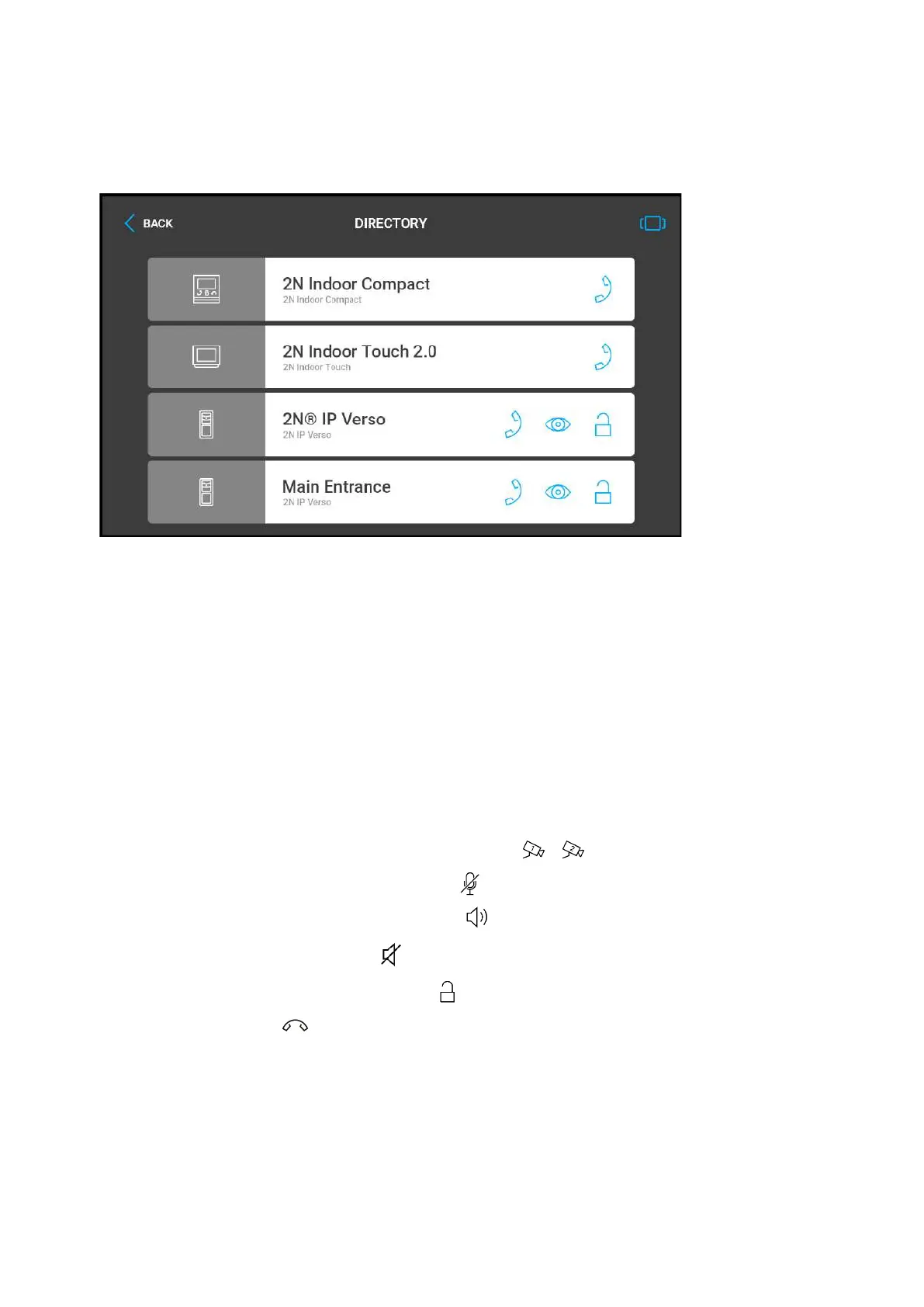
4.2 Directory
Find the Directory menu under the phone earpiece icon The menu provides a list of destinations
that can be called. The destinations include their names and the device type they are equipped
with. The Directory provides either a list view where you can scroll up/down, or a tile view where
you can browse from right to left to choose a destination.
Press the call receiving button to start a call to the selected device or user. Press the eye button
to show the camera preview (the button is only available if the device is equipped with a
camera). Click the lock button to open the door during an incoming/outgoing call for the
selected device.
When the intercom camera view is displayed on 2N
®
Indoor View during the call, you can
choose any of the following actions:
Switch camera using the left-hand button at the / icon.
Switch off microphone in callusing the button.
Increase and decrease volumeusing the button.
Switch off ringtone using the button.
Open door using the door lock button .
End call using the call end button.



 To Next Page