2N® Indoor View User Manual
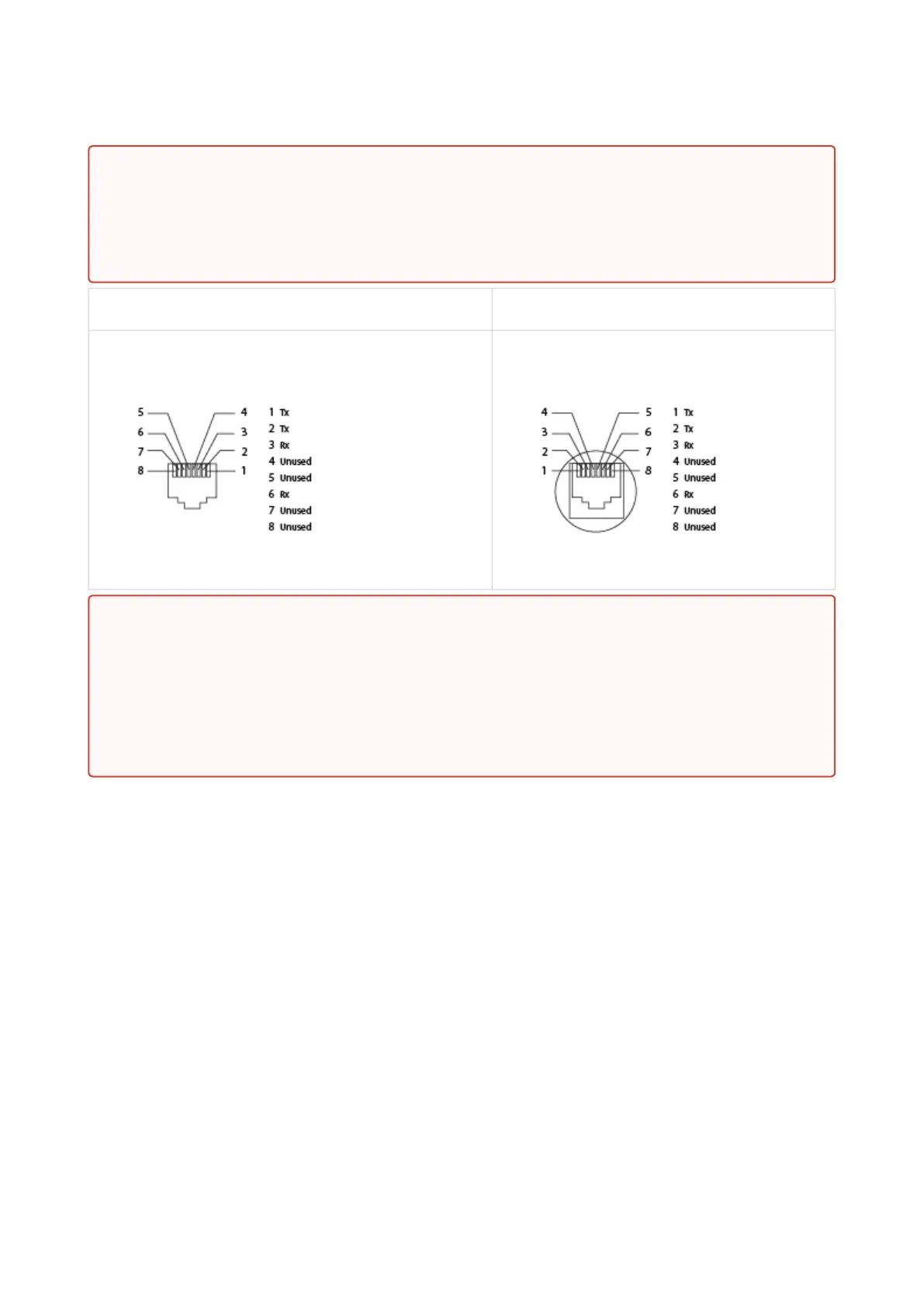
Ethernet cable connector Ethernet socket
Firmware Upload
We recommend that the 2N
®
Indoor View firmware is upgraded during installation. Refer to
www.2n.comfor the latest FW version. Refer to3.2.5 System for the firmware upgrade
procedure.
2.4 2N® Indoor View LAN Location via 2N® Network Scanner
2N
®
Indoor View is configured via the administration web server. Connect the device to the LAN
IP and make sure it is properly powered.
•
•
Warning
Do not connect any external power supply if PoE is used and vice versa.
Connection of a defective or improper power supply may lead to a temporary or
permanent device failure.
•
Warning
This product cannot be connected directly to the telecommunications lines (or
public wireless LANs) of any telecommunication carriers (e.g. mobile
communications carriers, fixed communications carriers, or internet providers). In
the case of connecting this product to the Internet, be sure to connect it via a
router.



 To Next Page