2N® Indoor View User Manual
•
•
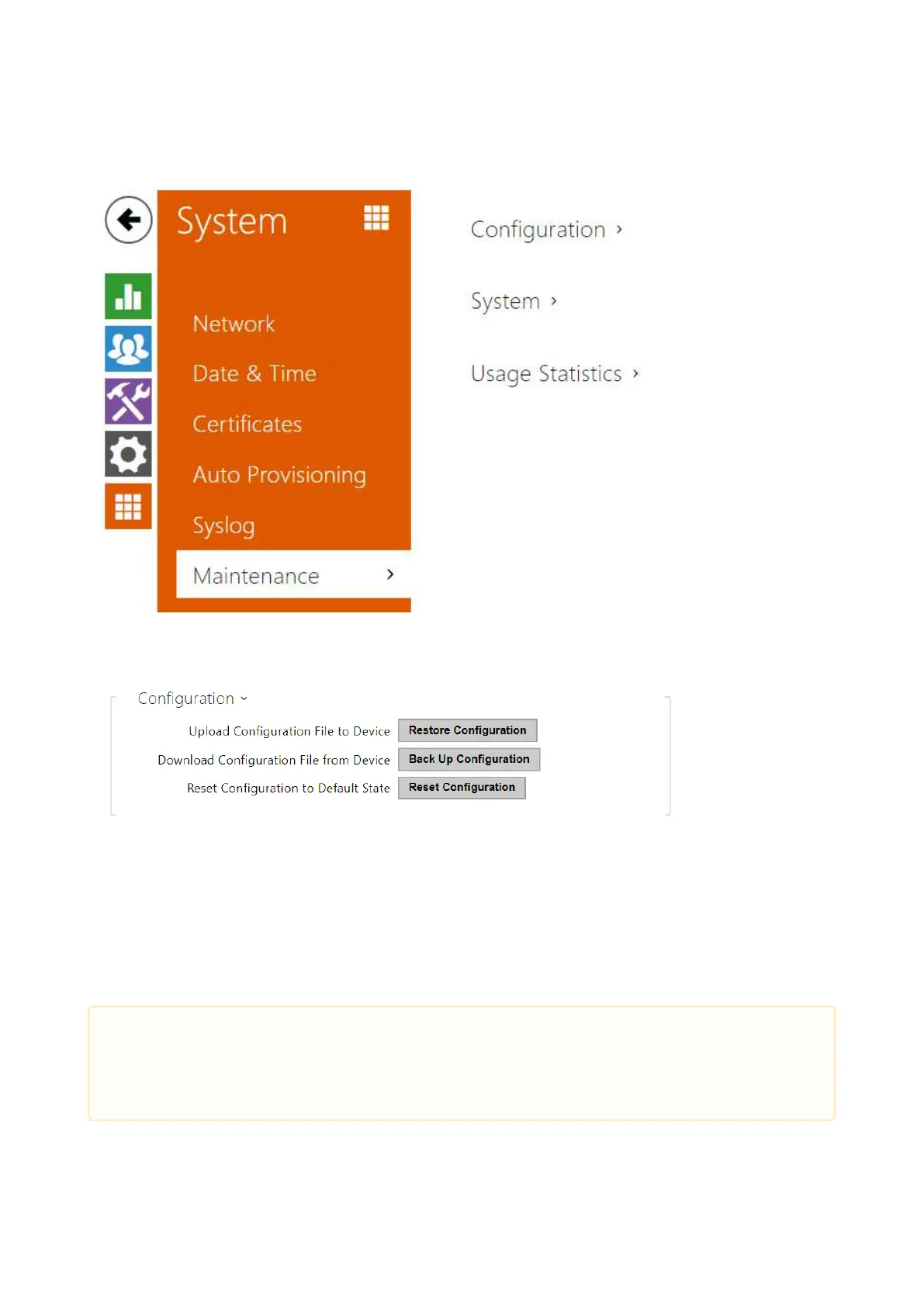
3.2.5.6 Maintenance
This menu helps you maintain the device configuration and firmware. You can back up and
restore all the parameters, upgrade firmware and/or factory reset the device.
Restore Configuration – restore configuration from a previous backup. Press the button
to display a dialogue window to select a configuration file and upload it to the device.
Before uploading choose whether or not the LAN settings and SIP PBX connection settings
are to be applied.
Backup Configuration – back up the complete current device configuration. Press the
button to download the configuration file to your PC.
•
Caution
As the configuration may include delicate information, such as user phone numbers
and access passwords, handle the file cautiously.



 To Next Page