Installation manual 2N® IP Force
Device Restart
Press the RESET button shortly (< 1 s) to restart the system without changing
configuration.
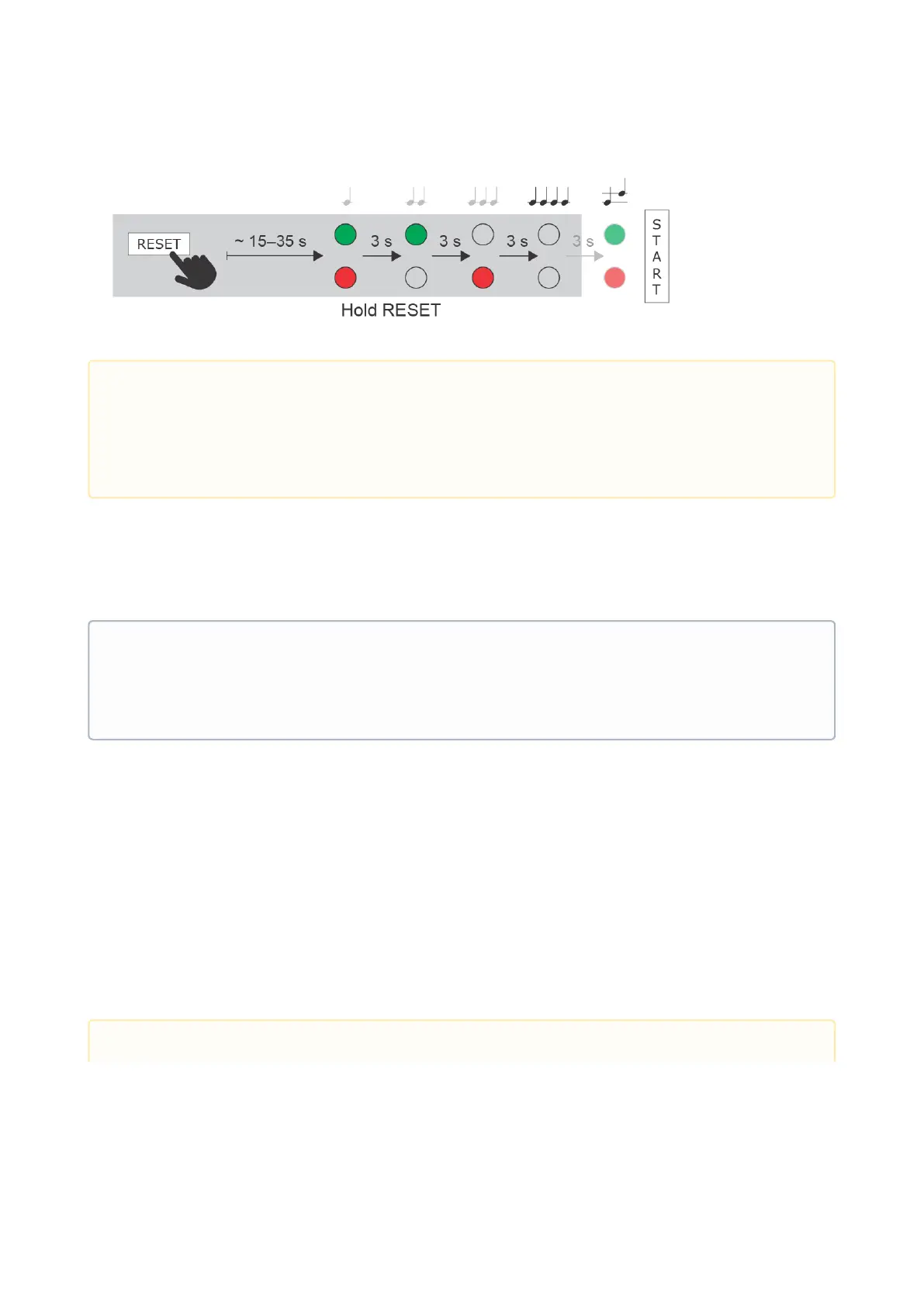
Factory Default Resetting (PCB version 555v3 and higher)
For resetting device to default settings press and hold SW1 button. Wait for
the first sound signalization and then release the button. If you press the
button for short time device will reboot only. SW1 button is available in
devices with PCB version 555v3 and higher. For devices with PCB version
555v2 see procedure below.
•
Caution
In case of resetting the factory default settings on a device with a version of firmware 2.18 or higher
it is necessary to reprogram the
2N
®
Security Relay using the instructions from section 2.4.
•
Note
The time interval between the short press of RESET and reconnection after restart is 25–50s for
2N
®
IP Forcedepending on the HW version.
Caution



 To Next Page