Installation manual 2N® IP Force
1.
2.
3.
4.
5.
6.
Factory Default Resetting (PCB version 555v2)
Disconnect the device from the power supply.
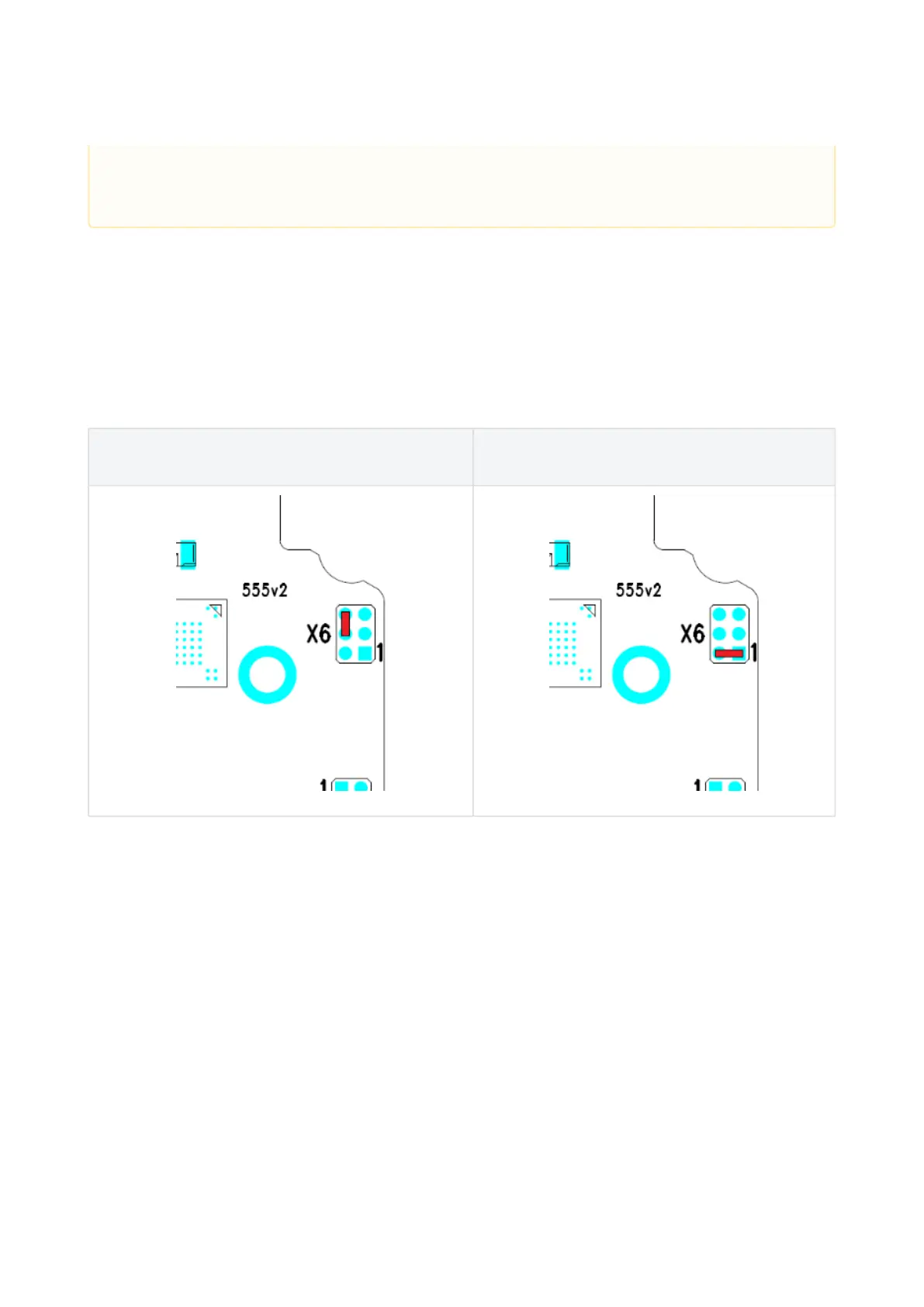
Move the short-circuit jumper on connector X6 into theDefault setupposition. Configuration jumpers (X6)
are located in the right-hand upper corner of the PCB.
Reconnect the power supply and wait for a start signalling sound.
Disconnect the device from the power supply.
Move the short-circuit jumper on connector X6 into theNormal operationposition.
Reconnect the power supply. The device will be reset to factory default.
Normal operation Default setup
Configuration jumpers X6, PCB version 555v2
Grounding
We recommend to ground the intercom in order to improve the static
electricity resistance. For proper grounding you need a cable of the minimum
cross-section of 4 mm2. Connect the cable to the connector in the bottom
part of the intercom. The connector is enclosed to the delivery.
• In case of resetting the factory default settings on a device with a version of firmware 2.18 or higher
it is necessary to reprogram the
2N
®
IP Security Relay using the instructions from section 2.4.



 To Next Page