Pannoramic 1000 1.2 – User’s Guide 6.1.2 Cleaning the condenser
6.1.2 Cleaning the condenser
Warning!
Before cleaning, switch off the device and pull the power cord out of the
connector.
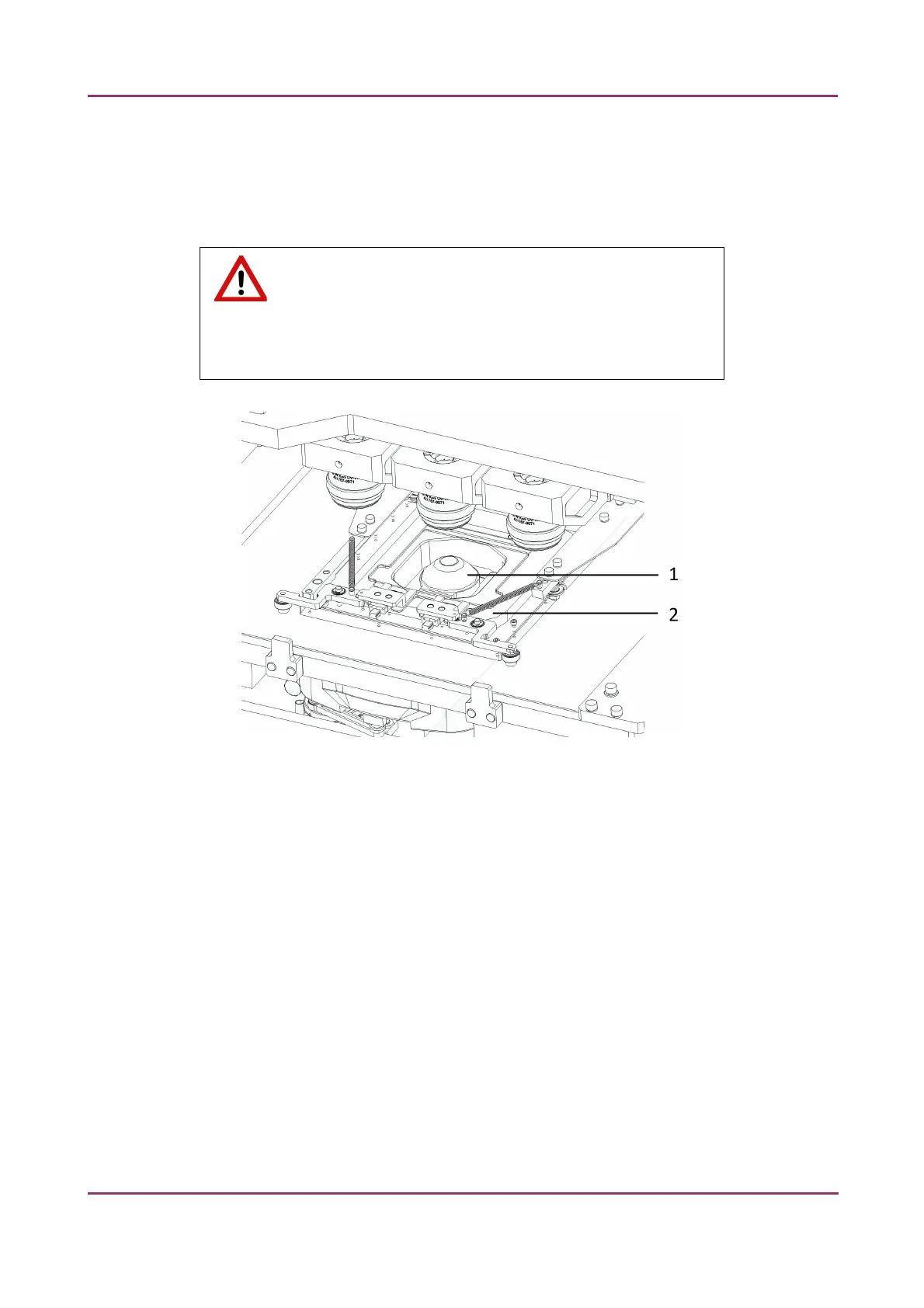
Figure 25 – Condenser unit
1. Open service door.
2. Gently move the slide holder (2) into the middle above the condenser (1).
3. Do not let liquid penetrate into the system.
4. Use compressed air to lay the dust.
To clean the glass surface of the condenser from any other contamination, it is recommended
to apply Isopropanol on a piece of lint-free cotton cloth and gently clean the surface.
March 19, 2019 – Rev. 2 3DHISTECH Ltd. 49(78)



 To Next Page