Pannoramic 1000 1.2 - User’s Guide 8 Packaging instructions for Pannoramic
1000
8.3.2 Closing the package
Place the top panel to BOX 1. Secure it with the latches.
8.3.3 Packing the accessories
Place inside computer and its accessories into BOX 2 and display and cables into BOX 3. Secure them
with straps.
8.4 Handling of the package
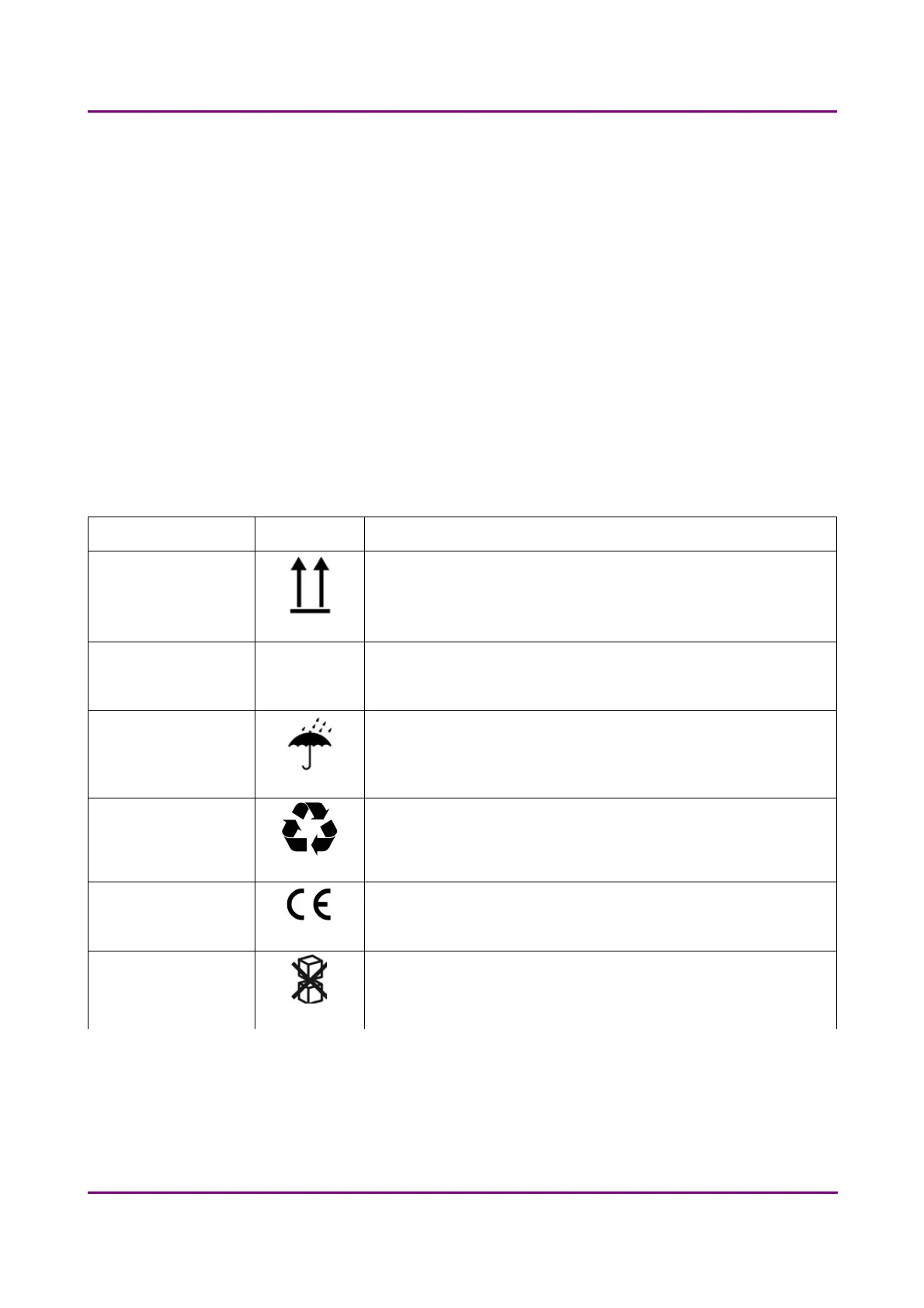
Please be aware to observe the following instructions on Figure 53.:
Designation Symbol Explanation
Top The package must always be transported, handled and stored in such a way that
the arrows always point upwards. Rolling, swinging, severe tipping or tumbling
or other such handling must be avoided. The cargo need not, however, be
stored "on top".
Fragile, Handle with care The symbol should be applied to easily broken cargoes. Cargoes marked with
this symbol should be handled carefully and should never be tipped over or
slung.
Keep dry Cargoes bearing this symbol must be protected from excessive humidity and
must accordingly be stored under cover. If particularly large or bulky packages
cannot be stored in warehouses or sheds, they must be carefully covered with
tarpaulins.
Recycling This indicates that an object is capable of being recycled.
CE The symbol shows that the device complies with the essential requirements of
the relevant European health, safety and environmental protection legislation,
in practice by many of the so-called Product Directives..
Do not stack Cargoes marked with this symbol should be handled so that so no one loads one
on top of the other to avoid crushing.
March 19, 2019 - Rev. 2
3DHISTECH Ltd. 70(78)



 To Next Page