Pannoramic 1000 1.2 – User’s Guide 6.3.2 Replacing fuses of the main power switch
6.3.2 Replacing fuses of the main power switch
1. Switch off the main power supply and disconnect the power supply cable (see section 1.1.4
Base Unit).
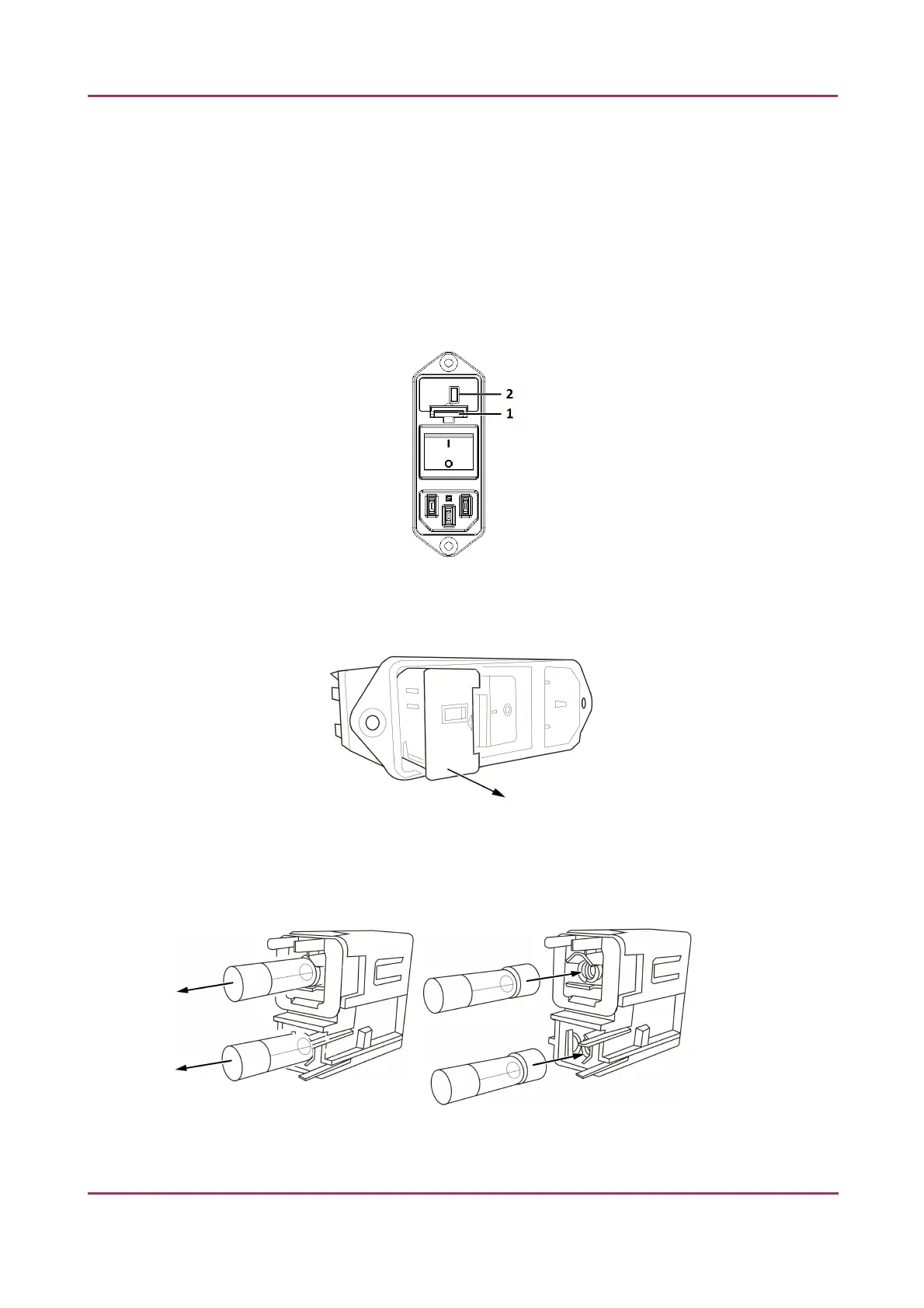
2. The fuse compartment is located above the main power supply switch at the back side of
the Pannoramic 1000.
3. Release lock (1) by pushing the lever upwards, so the insert (2) can be pulled out.
Figure 27 – Fuse compartment
4. Remove insert from the compartment.
Figure 28 – Removing the fuse insert
5. Replace fuses, put the insert back into its seating, and push it inwards until you hear a snap,
so the lever locks.
Figure 29 – Replacing the fuses
March 19, 2019 – Rev. 2 3DHISTECH Ltd. 53(78)



 To Next Page