5
P1 How to charge Anyty Wireless Digital Microscope
Microscope itself is chargeable. Before start using it, please charge the battery of microscope.
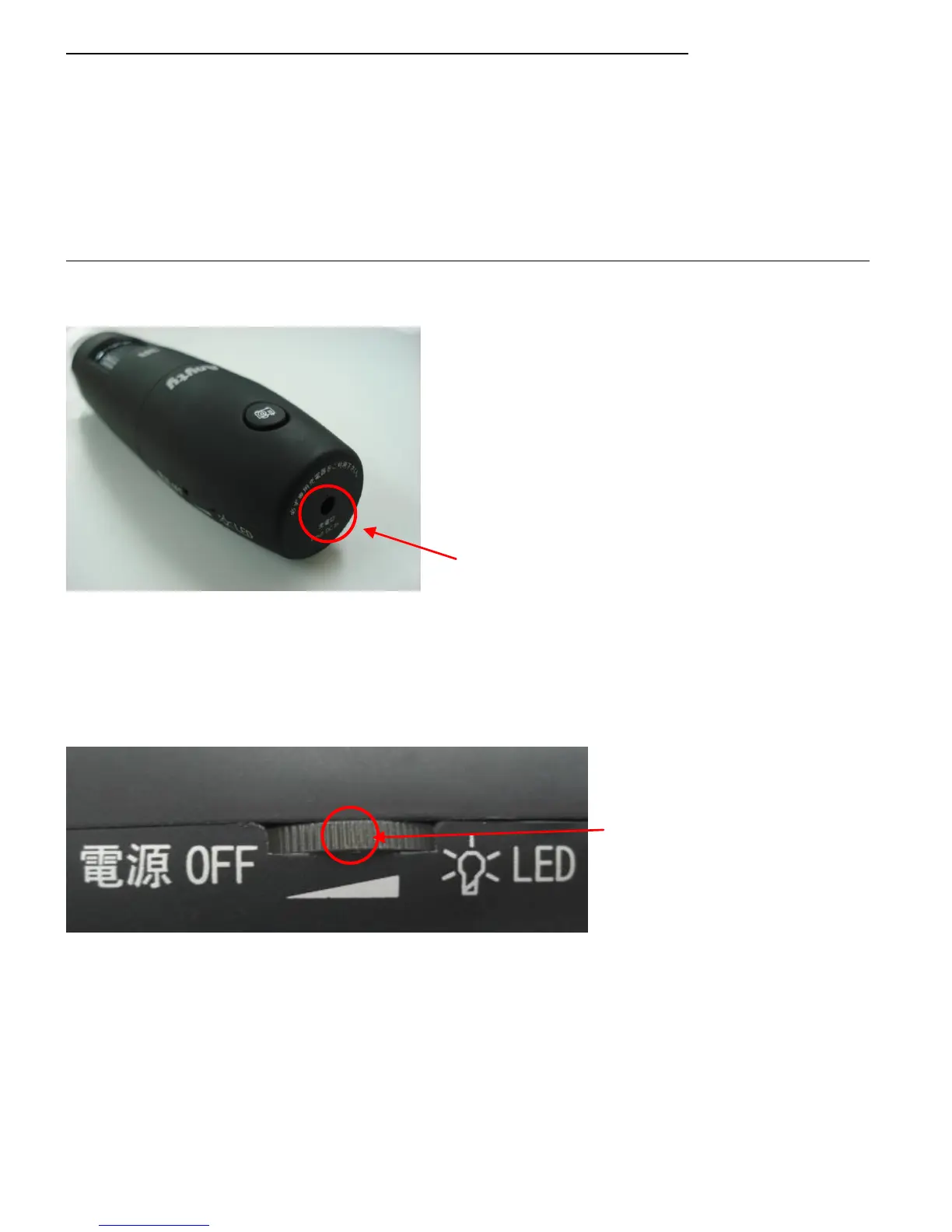
Connect charging cable (attached inside) to charging connector on Microscope.
Then, connect to USB port on PC or AC/USB Transform Adaptor.
During charging period, the dial switch will be shining (blue light).
Charging period will be approximately 3 hours. It could last for 5 hours in full power condition.
Attention USB Charging Cable is for Microscope ONLY. DO NOT use ANY other charging cable on it..
Charging Connector
Charging Connector is on back of Microscope.
Dial Switch
Power switch is on side face of Microscope. Turn right until you hear the sound of ‘click’ and the power
will be turned on.
Turn left until the same sound is made. The power will be off.
Dial Switch
Dial Switch will be lighting up during charge or operation。Patterns of lighting up in each condition
are noted below.
Charging Blue flash
Charging complete Blue light
Low power Red light



 To Next Page