7
P3 Installation of Anyty VIEW(Windows7/Vista)
※The installation could be done irregular if antivirus software is active. PLEASE exit antivirus
software for a while refers to its manual during installation.
※ DO NOT connect Receiver to PC until installation is complete.
※ Please press ‘Continue’ if User Account Control(UAC) is activated.
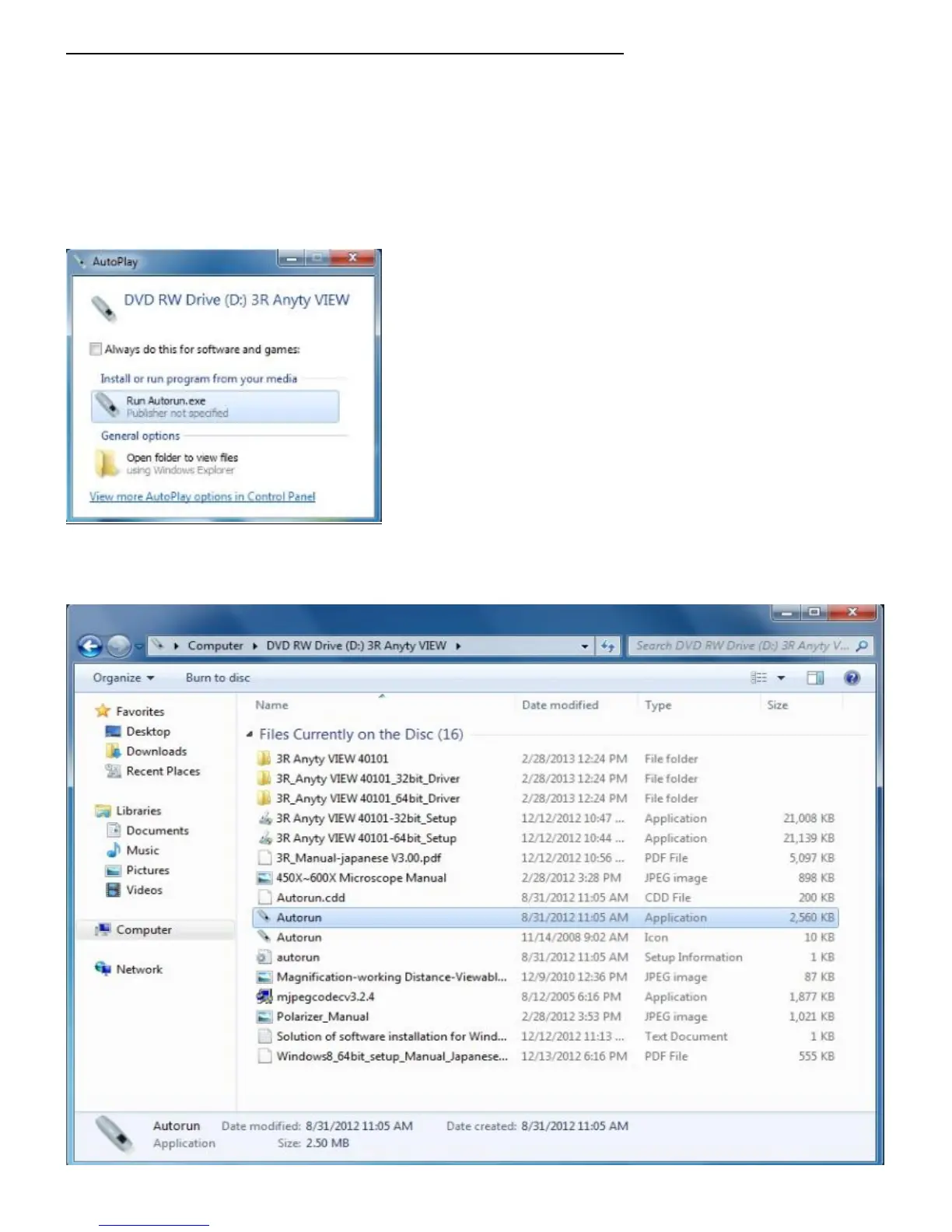
① Insert Software CD into CD-ROM. The option will be shown as below if auto play is activated. Press
Autorun.exe to start installation.
※If ‘Auto play’ is not activated. Please double click ‘My computer’ and RIGHT click CD-ROM icon, choose
‘Open’. Then find ‘Autorun.exe’ and double click to start installation.



 To Next Page