N8072 Cube Network Camera 2 Megapixel + H.264
- 13 -
Hardware Installation
Before getting to start the N8072 Cube Network Camera, please adjust N8072 in accordance
with the following steps first.
Make sure that no steel bars or power cables exist behind the position where the product is to
be fixed. Some walls or ceilings may not be strong enough to support it. Pay attention during
installation to avoid injury that might be brought about due to falling of the product.
Before getting to start N8072 Cube Network Camera please adjust N8072 in accordance with
the following steps first.
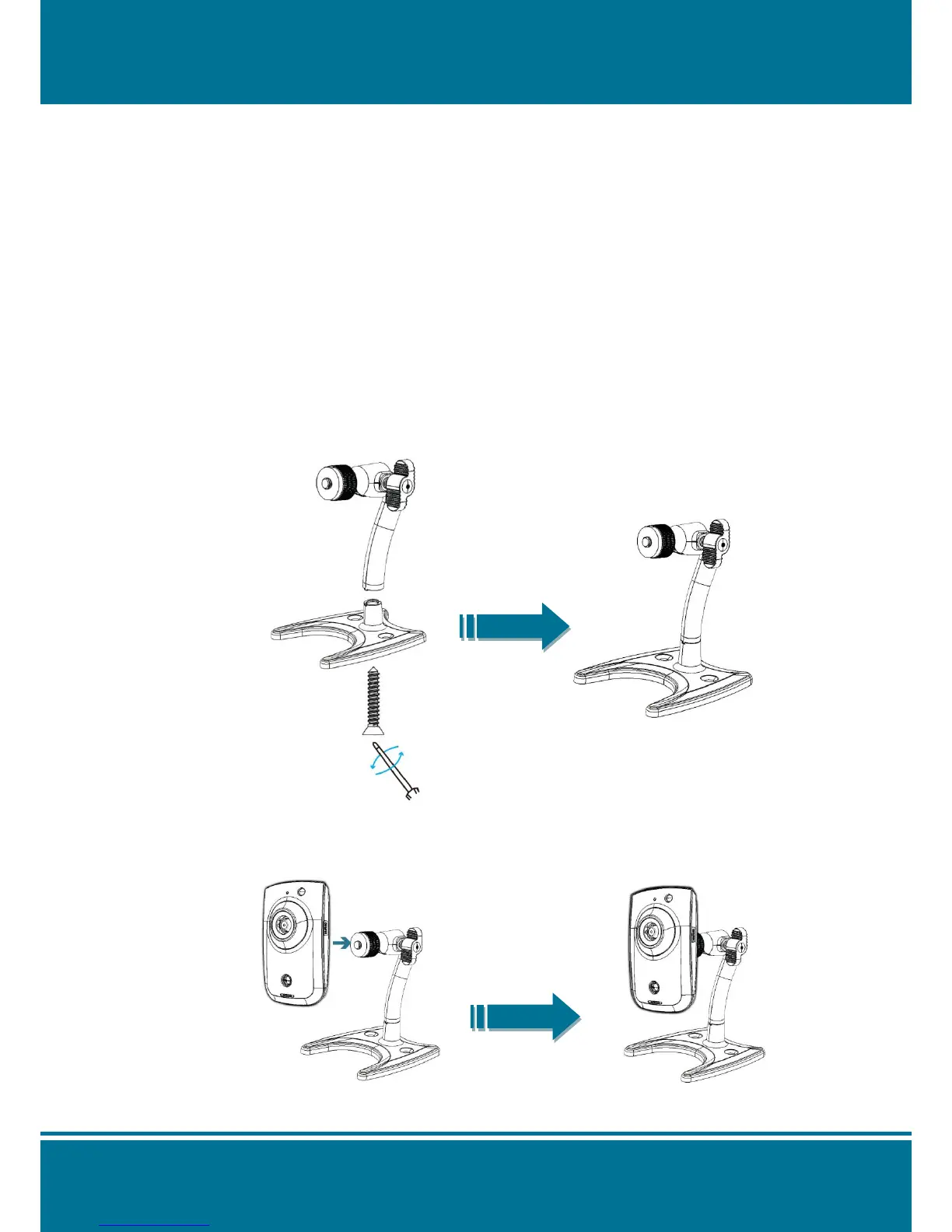
1. Use the supplied screw to screw the bottom and top of the tripod securely.
2. Connecting the N8072 Cube Network Camera to the tripod by turning the N8072
clockwise onto the tripod until it stops.



 To Next Page