N8072 Cube Network Camera 2 Megapixel + H.264
- 43 -
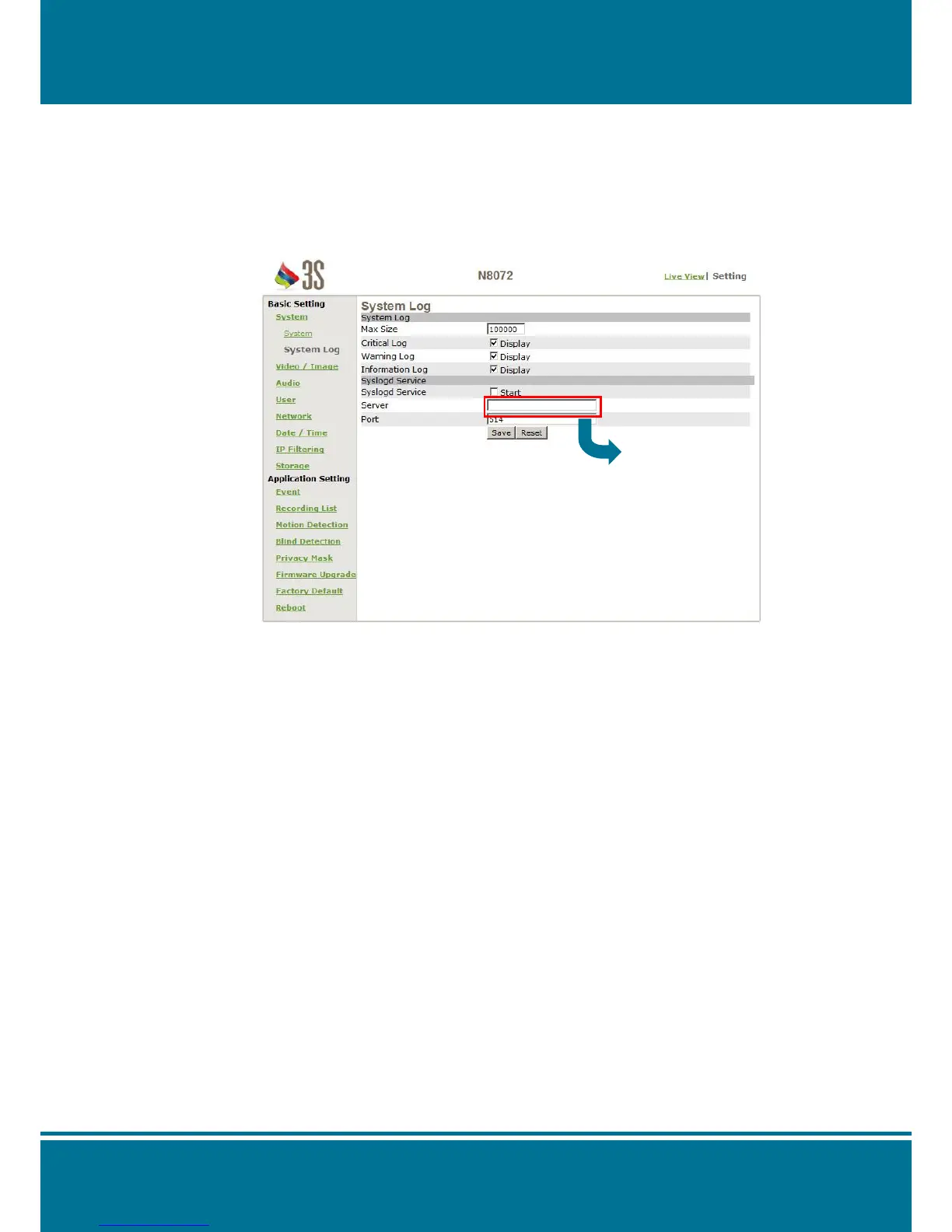
System Log
N8072 Cube Network Camera allows administrator to view all of the login information,
including boot record, video streaming mode, login IP, changes, and the date/time
information. You can save the entries to a Word document by manual.
Notice all of the information is deleted when you turn off the N8072 Cube Network
Camera.
System Log
Max Size: Set the Number allowed for the log file, 100000 is the default.
Critical Log: Click Display to show the most important log file.
Warning Log: Click Display to show the warning log file.
Information Log: Click Display to show the information log file.
Syslog Service
Syslogd Service: Click Start to send the log file to server.
Server: Fill in the IP address that the Syslogd Service is.
Port: Set the port number.



 To Next Page