N8072 Cube Network Camera 2 Megapixel + H.264
- 84 -
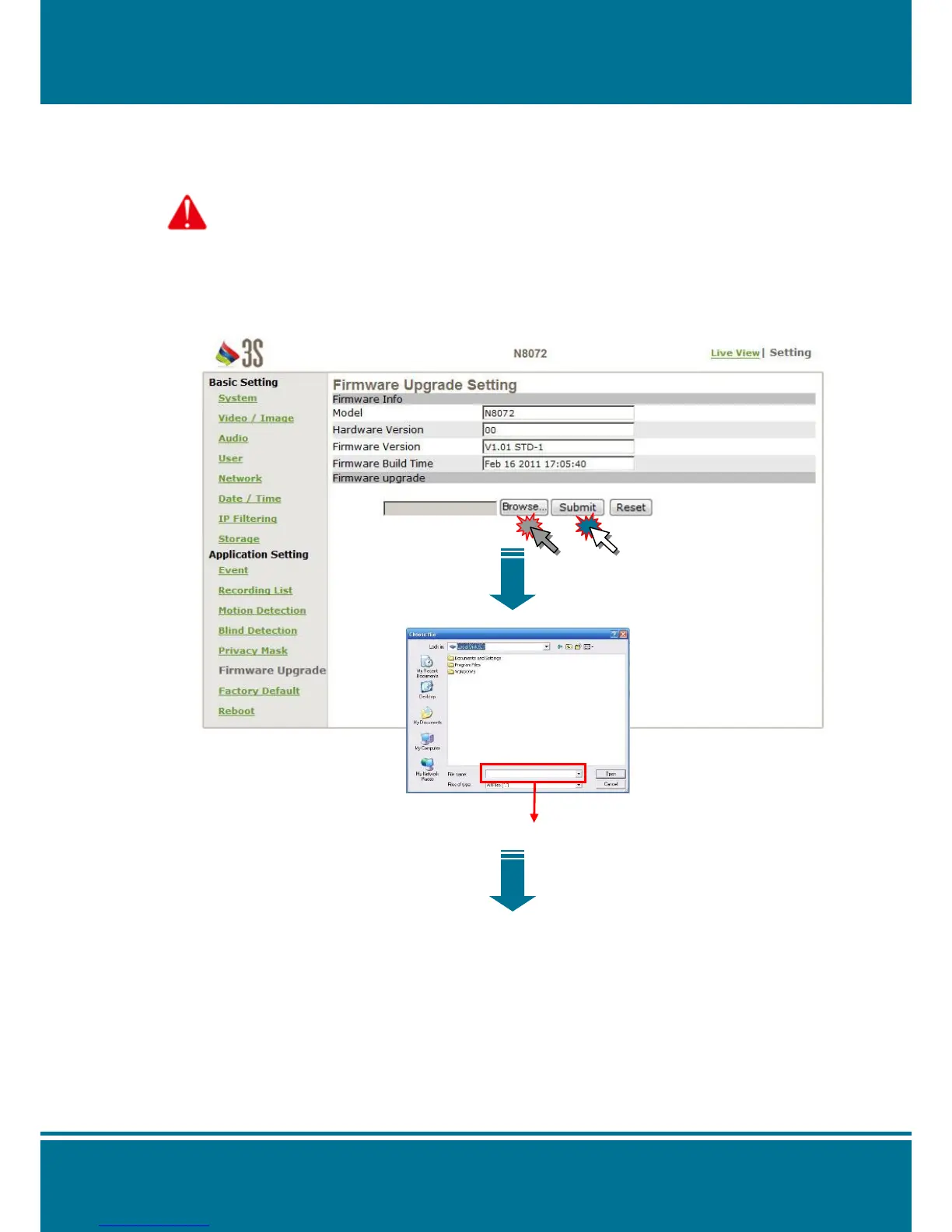
Firmware upgrade
Contact with your dealer for more information about firmware upgrade. Please follow the
steps below to upgrade the firmware.
Attention: Important! Read Carefully!!
1. Please close all of the application that you are using on your PC.
2. Select Firmware Upgrade and the Firmware Upgrade Setting page will show on your
screen.
3. Click Browse to select the location where the firmware file is.
4. Click Submit to upgrade the firmware immediately.



 To Next Page