N8072 Cube Network Camera 2 Megapixel + H.264
- 61 -
To Activate the UPnP function in Windows OS
Windows XP
1. Windows component installation.
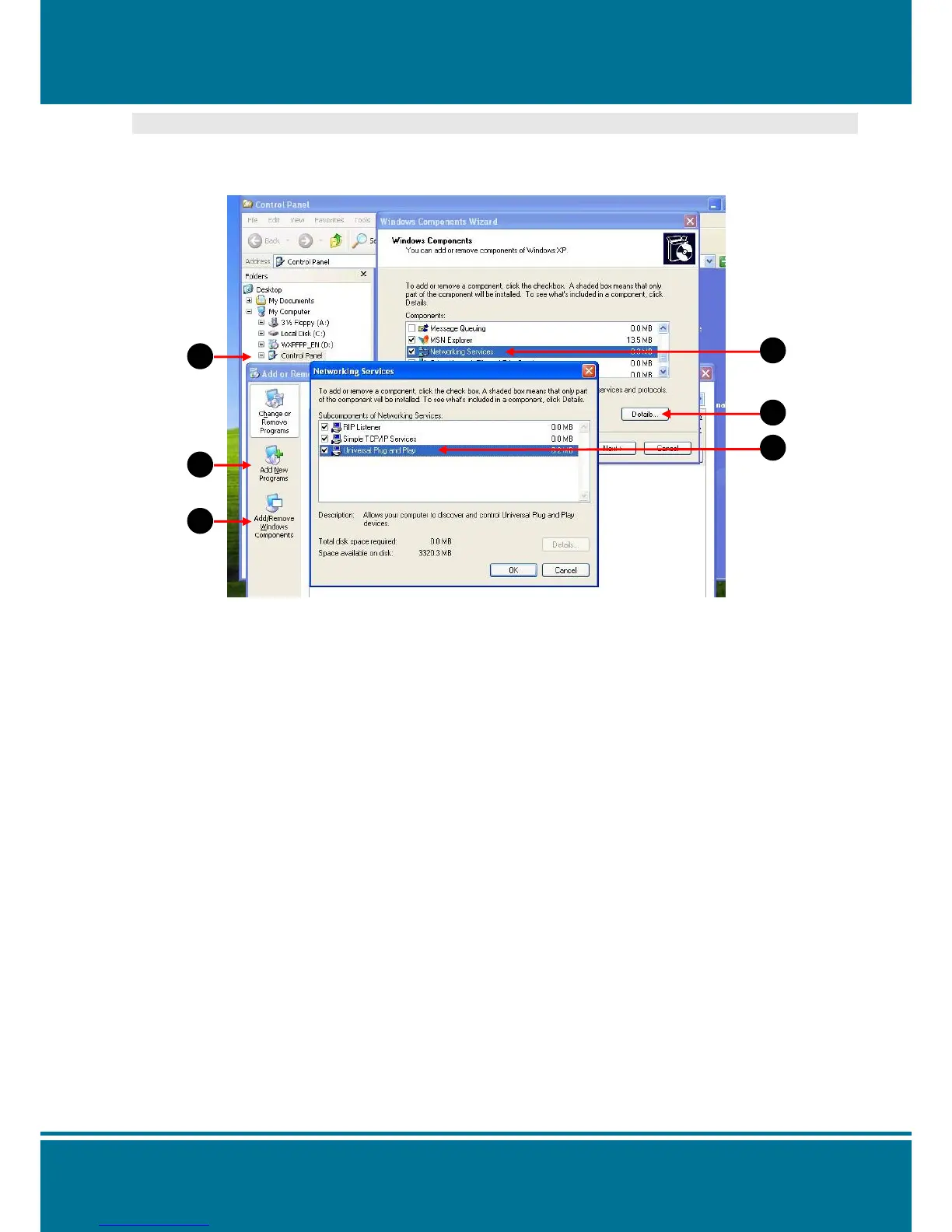
Step 1 Select Control Panel.
Step 2 Select Add/Remove Programs.
Step 3 Select Add/Remove Windows Components.
Step 4 Select Networking Services.
Step 5 Click Detail.
Step 6 Select Universal Plug and Play.



 To Next Page