Configuring a New Unit
www.3ware.com 95
3 Click Create Unit.
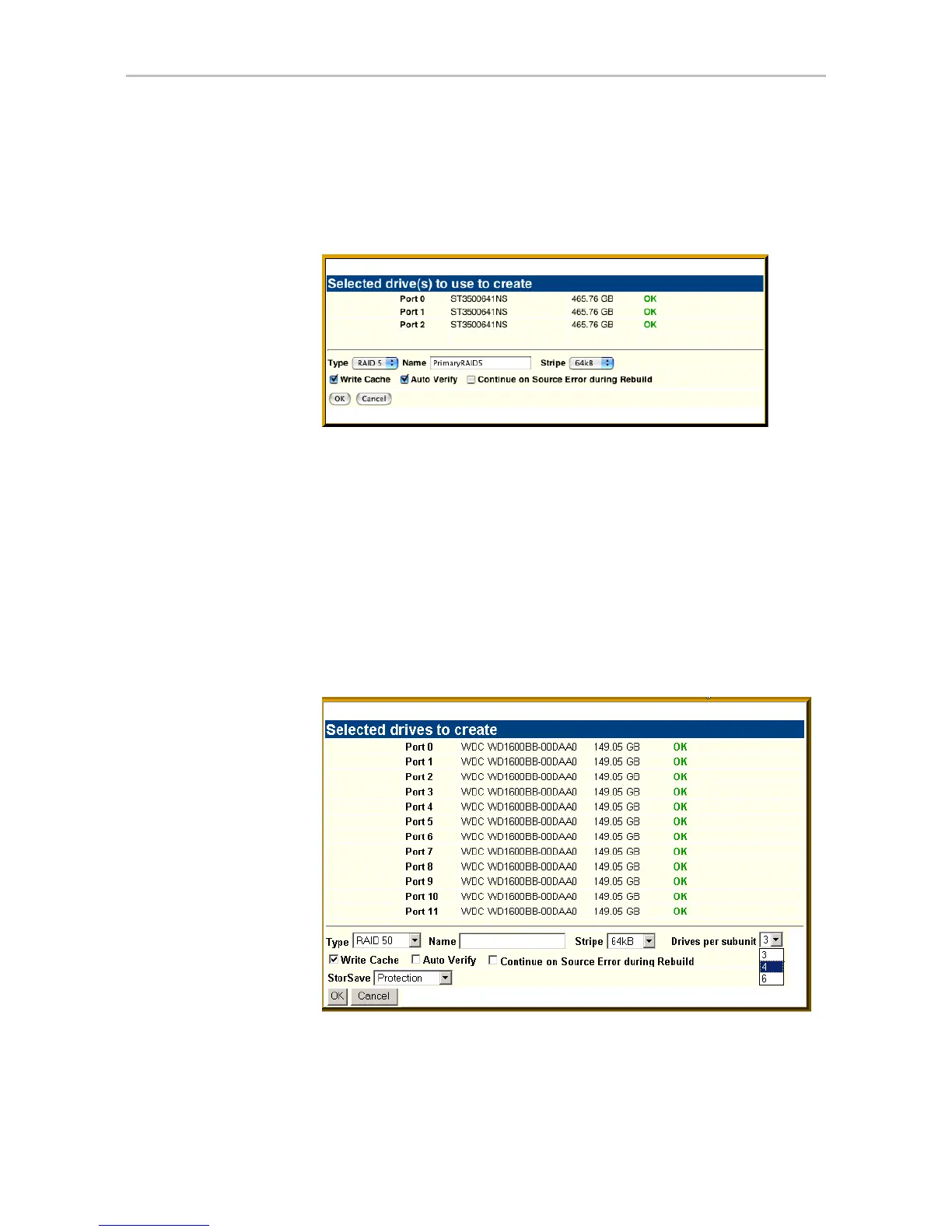
A window similar to the one below shows the drives you selected, and
lets you specify configuration settings.
Figure 43. Configuring a Unit in 3DM
4In the Type field, select the RAID configuration you want.
5 If stripe size applies to the RAID type you select, select a
Stripe Size.
(Stripe size does not apply to RAID 1.)
6 Optional: In the
Name box, enter a name for the unit (up to 21 characters,
including dashes and underscores).
7 If you have 12 drives attached to the controller and selected RAID 50 as
the configuration in step 3, select whether you want 3, 4, or 6 Drives Per
Subunit, as shown here.
Figure 44. Configuring a RAID 50 with 12 Drives



 To Next Page