Chapter 3. First-Time RAID Configuration Using 3BM
24 3ware Serial ATA RAID Controller User Guide
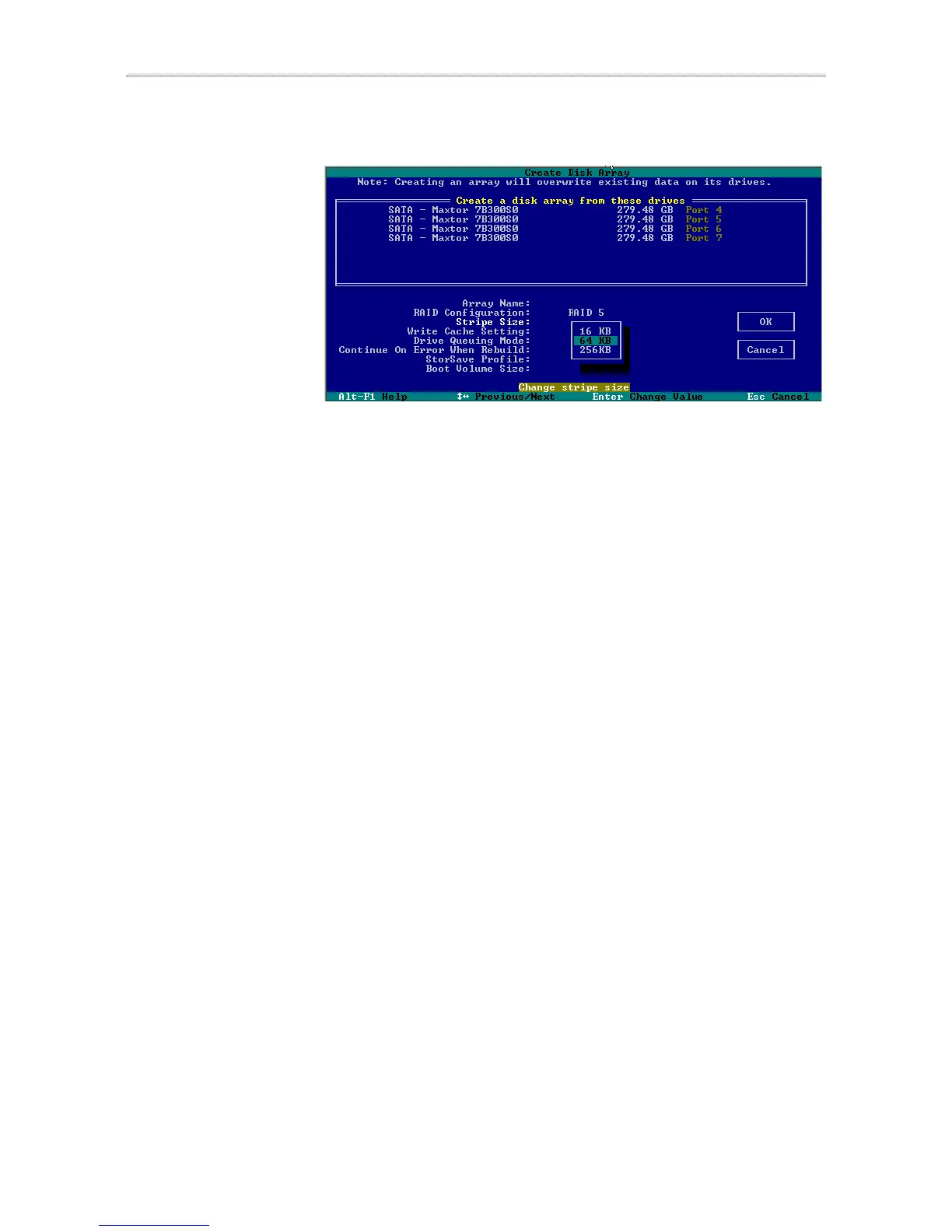
Figure 14. Stripe Sizes for a RAID 5
To set other policies for the unit
While creating a unit through 3BM, you can set several policies that effect the
unit (Write Cache, Drive Queuing Mode, and Continue on Error When
Rebuild), and you can select a StorSave profile.
Each of these policies is already set to a default value, so you do not have to
change them. In addition, you can change each of these policies later without
affecting the configuration.
1 Use the arrow keys or press Tab to move to the field you want to change.
2 Press Enter to see the available options.
3 Use the arrow keys to select the option you want and press Enter to
choose it.
For details about these parameters, see:
• “Enabling and Disabling the Unit Write Cache” on page 108
• “Enabling and Disabling Queuing for a Unit” on page 111
• “Setting the StorSave Profile for a Unit” on page 112
• “Setting Continue on Source Error During Rebuild” on page 110
To create a boot unit of a particular size
You can specify a portion of the unit you create to be used as a boot volume, if
desired. This is useful if you will be installing your operating system onto the
unit and want to have a designated volume for the OS. The remainder of the
unit will be created as a separate volume.



 To Next Page