21
7. RESPONSE ADJUSTMENT / SELF CHECK FUNCTION
7-1 Manual Response Adjustment
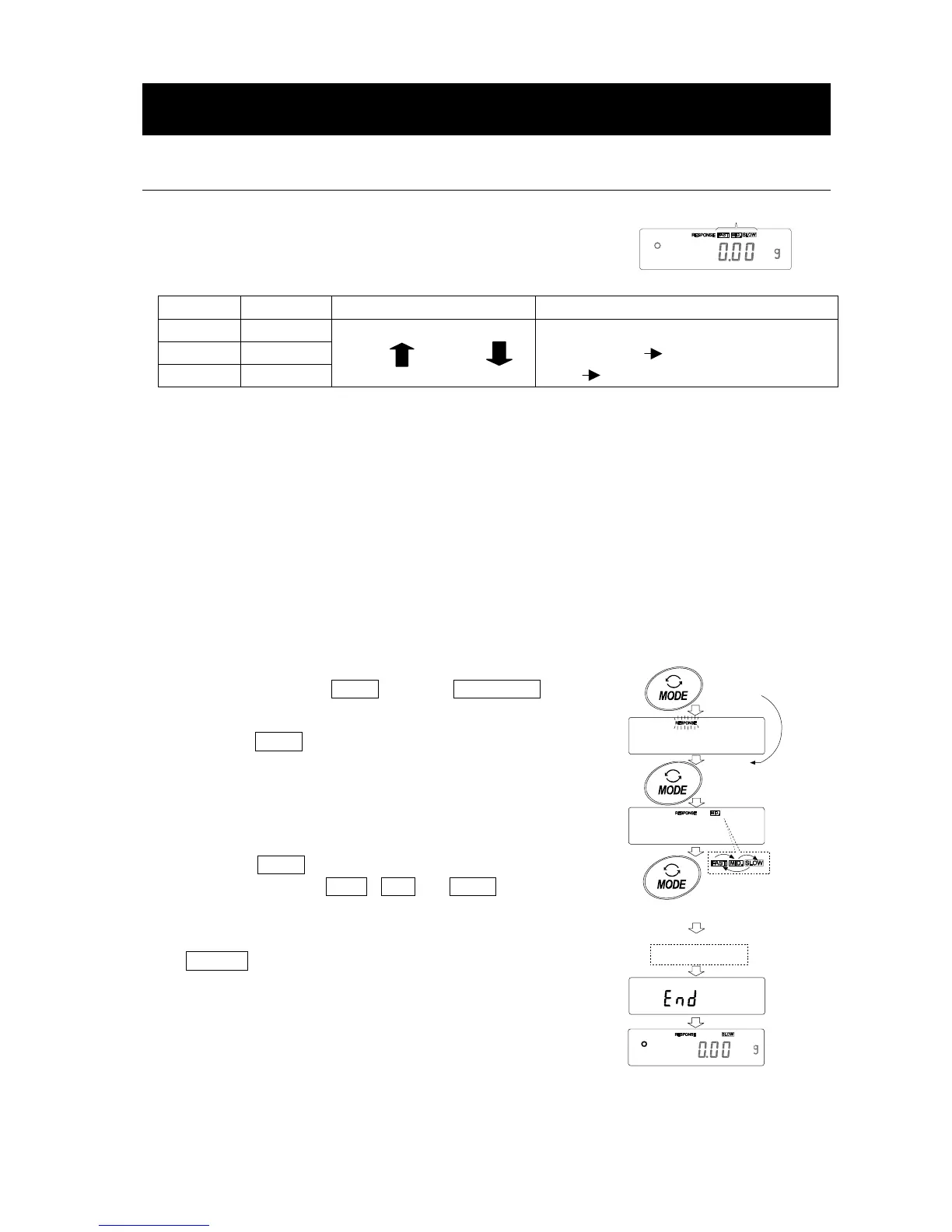
The function has three rates as follows:
Changing the response rate changes the display refresh rate.
Indicator Parameter Response characteristic Display refresh rate
FAST Cond 0
MID. Cond 1
SLOW Cond 2
Fast response, Sensitive value
Slow response, Stable value
If the response rate is changed as follows:
MID. or SLOW FAST =10 times/second
FAST MID. or SLOW = 5 times/second
Note
To set the refresh rate of 5 times/second when the response rate is FAST or 10 times/second
when the response rate is MID. or SLOW, change the “Display refresh rate (5pd)” parameter
of “Environment, Display (ba5fnc)” in the function table. For details, refer to “10. FUNCTION
TABLE”.
To increase the response rate, or to obtain a more stable display, perform the following:
Operation
1 Press and hold the MODE key until RESPONSE is
displayed, then release the key.
Press the MODE key again quickly.
2 Press the MODE key to select a rate of the response
adjustment. Either FAST, MID. or SLOW can be
selected.
3 After a few seconds of inactivity the balance displays
eend . Then, it returns to the weighing mode and
displays the updated response indicator. The response
indicator remains displayed for about 30 seconds.
Note
The response adjustment can be changed at “Condition
(Cond)” of “Environment, Display (ba5fnc)” in the
function table. For details, refer to “10. FUNCTION
TABLE”.
Response indicators
Press and hold
the key
Each pressing
switches
the indicators
Release the key
and press again
After a while



 To Next Page