Milan / Paylink System Manual Issue 1.5 29 January 2020
CONFIDENTIAL
Not to be disclosed without prior written permission from Aardvark Embedded Solutions Ltd
Page 54 of 71
Firmware reprogramming
All Milan firmware releases are distributed as self-extracting Windows executables. As well as those
stored on the distribution CD, they are also accessible on the Internet at:
http://www.aardvark.eu.com/products/milan/downloads.htm. as zip files Each executable name
includes Vx-x-x-x, where the sequence after the V identifies the version as described at the start.
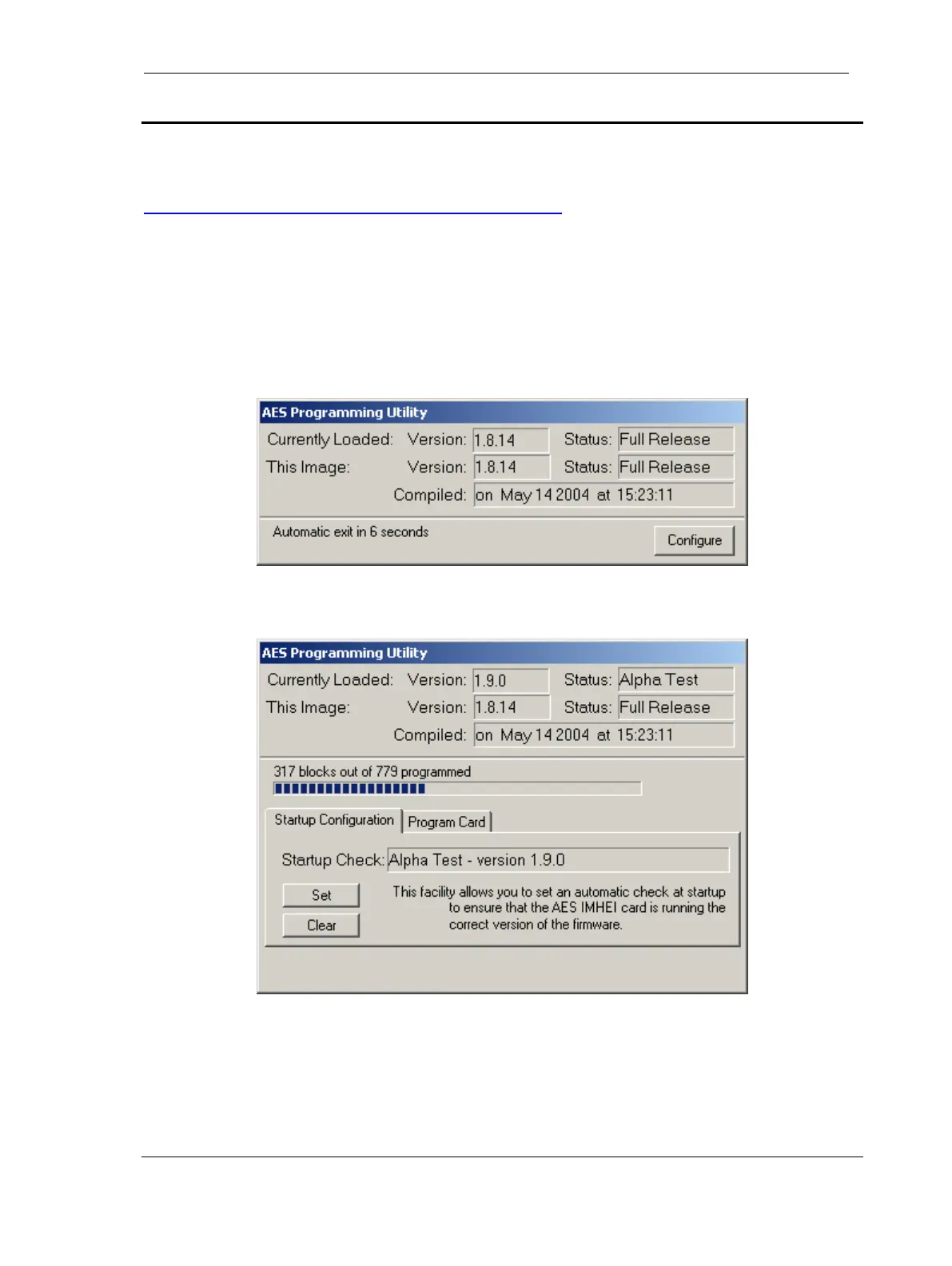
The same Windows programming utility is contained in all the firmware release files. When run
normally it will check that a Milan / Paylink unit is installed and accessible, and will then compare the
version of the firmware that it contains with version installed on the Interface. If they differ it will then
load the new firmware:
if they are the same it will display the (matching) details for 10 seconds and then automatically exit. (If
a parameter is provided on the command, then the check is silent if it passes; the waiting display
does not appear.)
While running a “Configure” button is accessible. This can be used to access two advanced features,
“Startup Checking” and “Programming”.
“Startup Configuration” provides the ability to “Set” and “Clear” an entry in the Windows registry
that will silently run this copy of the programming utility at system Startup. If this entry is Set, it
ensures that, if a unit is installed with a different version, the firmware packaged with this copy of the
programming utility is loaded onto it.
Note: As the Set entry is for the programming utility itself, in order to use this facility the programming
utility must have been saved to a folder on the hard disc and then run from that location.



 To Next Page