24
Mirroring Menu
How To Screen Mirror Smartphone:
• The P6U allows screen mirroring of Android and Apple IOS smart devices. Android
mirroring is done through a direct P2P connection whereas Apple IOS devices
requires a router/network host for mirroring.
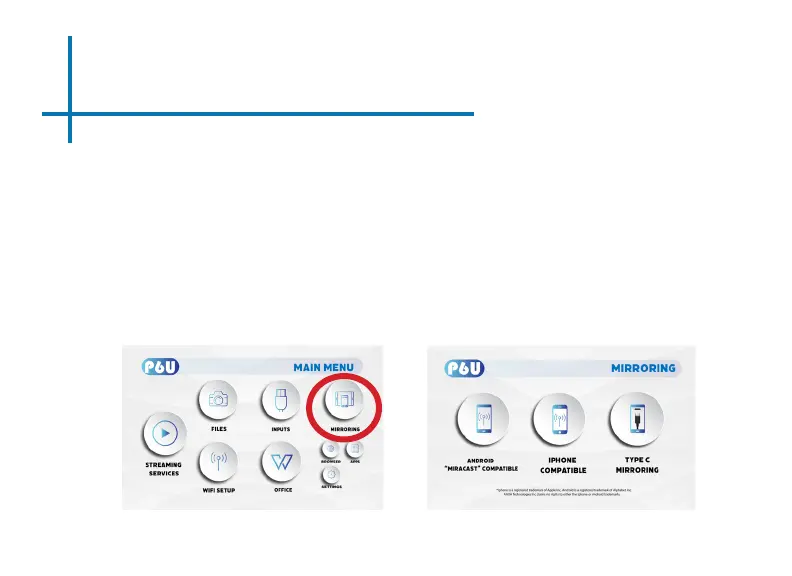
• After connecting the P6U to wi, in the Main Menu, choose “Mirroring” icon (Fig 3.6)
• In the Mirroring Menu, choose Android, Iphone or Type C. (Fig 3.7)
• Use built-in AirPlay, AirPinCast, AirPinPCSender to screen mirror from your iOS
devices. Android devices can use Smart Mirror or similar onboard casting functions.
Fig. 3.6 Fig. 3.7















 To Next Page