27
3D Function
1. The P6U supports DLP 3D Projection Mode.
• Supported File Formats include Vertical and Horizontal 3D Mix. Youtube and other
streaming 3D content is not supported at this time.
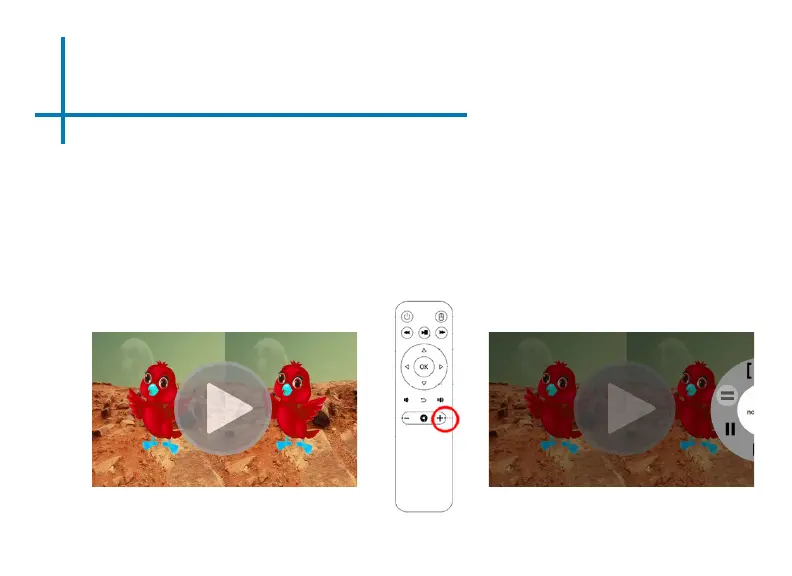
2. To Activate 3D mode rst begin playing a 3D le in the Video Player. Most 3D video les
will begin playing either horizontally or vertically (g 1).
3. After the le begins playing press the “+” button on the remote control (g 2).
4. A submenu will pop out (g 3) and the user can select the type of le 3D format (vertical,
horizontal, or other)
Fig. 1 Fig. 3
Fig. 2
*Note: DLP 3D Projection Mode requires DLP 3D Glasses.















 To Next Page