39
Bluetooth Menu
How to connect the P6U to bluetooth for audio out
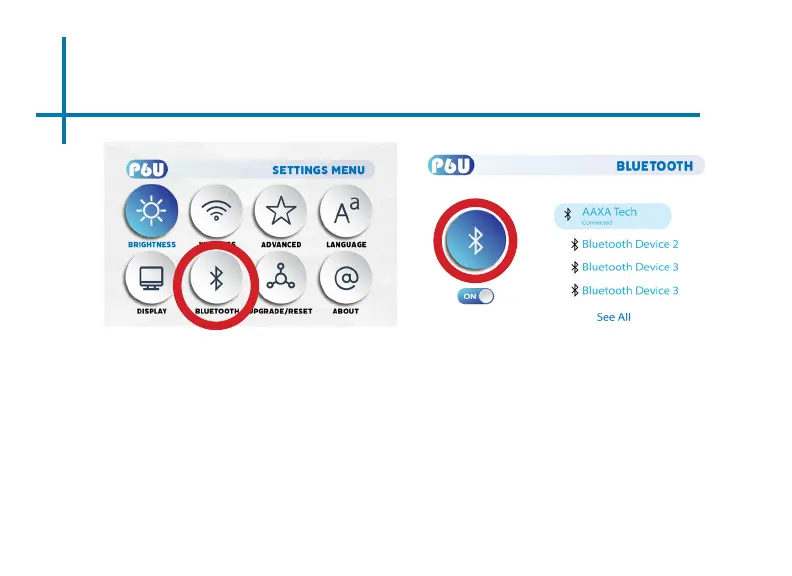
• In the Settings Menu, go to the Bluetooth menu by selecting the bluetooth icon
• In the Bluetooth submenu, toggle the “On/O” switch beneath the bluetooth icon
to “On”
• Select the desired bluetooth device. Make sure that your device is not connected
to any other devices and it is placed near the P6U.
• Note: Bluetooth is for audio output only – does not accept audio input or video
streaming.















 To Next Page